
-
The forum software have been upgraded to the latest version.
If you notice anything that looks off, or does not work, please let us know.
For more information, click here.
You are using an out of date browser. It may not display this or other websites correctly.
You should upgrade or use an alternative browser.
You should upgrade or use an alternative browser.
Blog Sir Rathalos' Projects
- Thread starter Sir Rathalos
- Start date



Saurus
Sir Rathalos
Well-Known Member
- Messages
- 70
- Likes Received
- 277
- Trophy Points
- 53
Thanks for all the support with regards to everchosen.
Finished the display base for the Saurus scar veteran, was really fun to work on as I've never done a base like this. I can now get to work on the actual lizard himself, so that's going to be interesting.
Also in the coming months we may see some blood bowl miniatures....
C&C is welcome
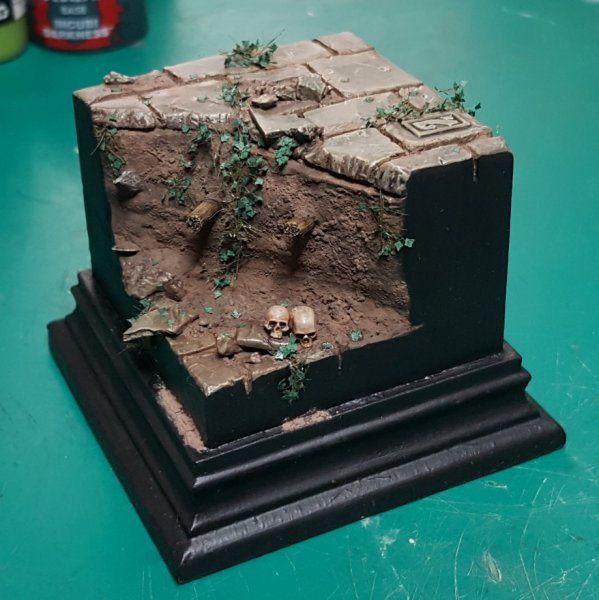
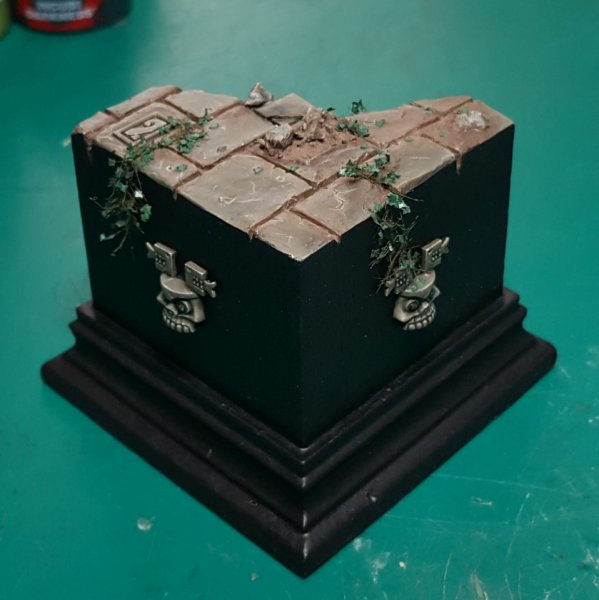
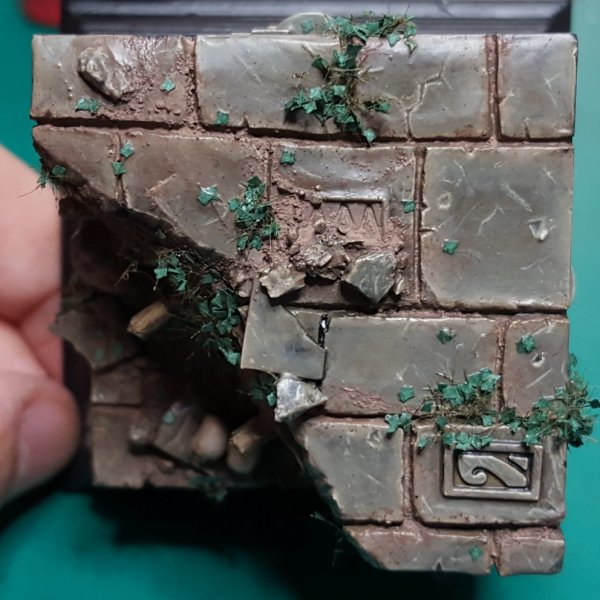
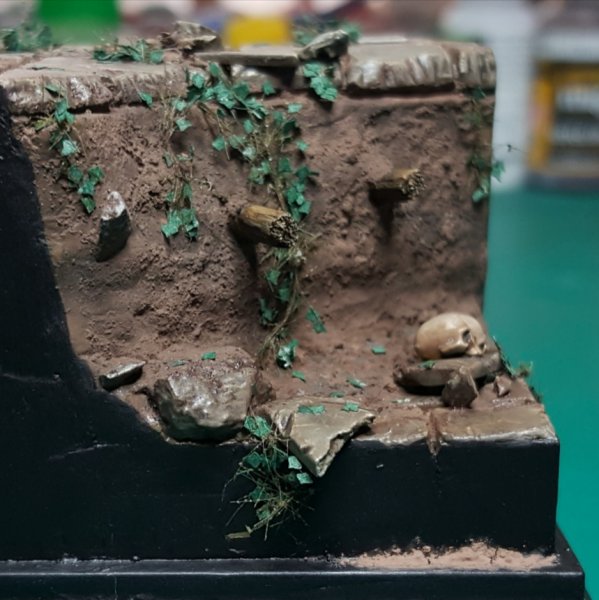
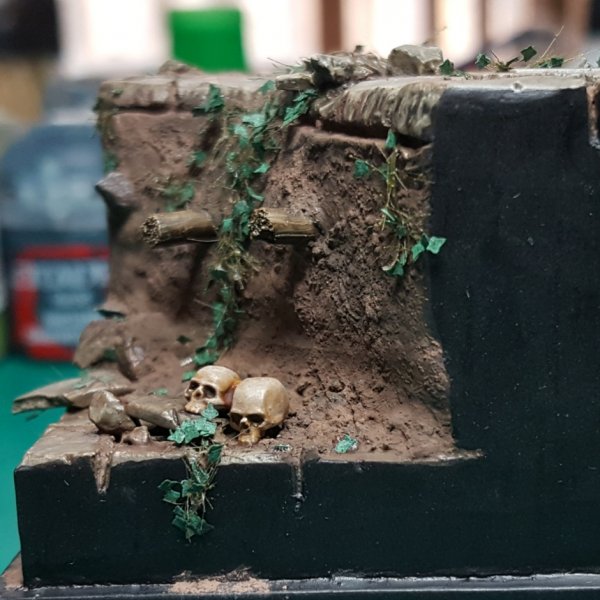
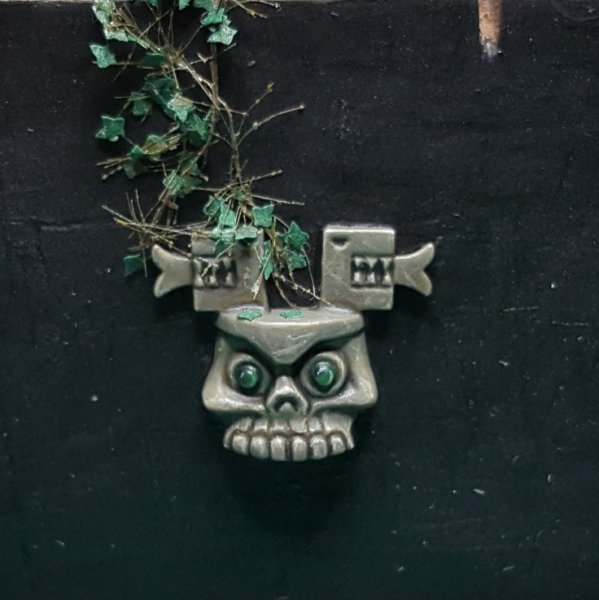
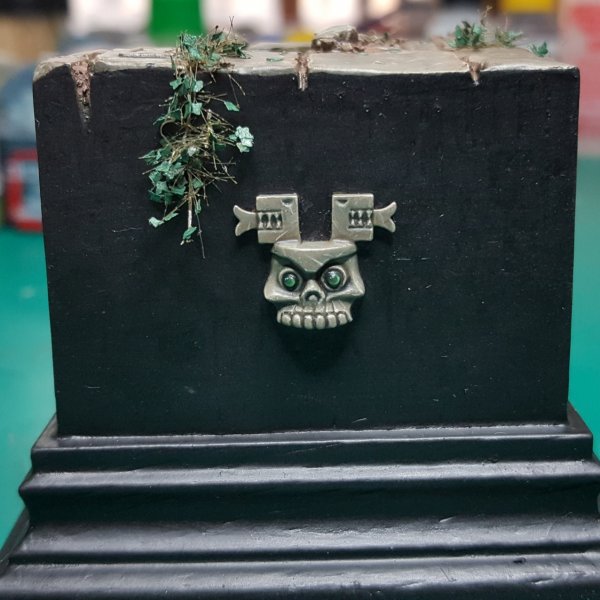
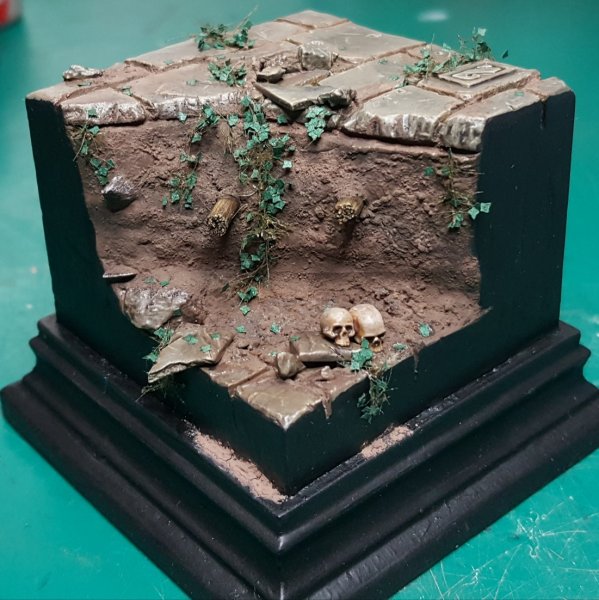
Finished the display base for the Saurus scar veteran, was really fun to work on as I've never done a base like this. I can now get to work on the actual lizard himself, so that's going to be interesting.
Also in the coming months we may see some blood bowl miniatures....
C&C is welcome
Saurus
Sir Rathalos
Well-Known Member
- Messages
- 70
- Likes Received
- 277
- Trophy Points
- 53
The saurus is now in progress!
Calling the lower half done, moving onto the torso/arms.
Some really brutal close ups here, I also tried to improve my TMM after previous feedback.
All C&C is welcome
Thanks
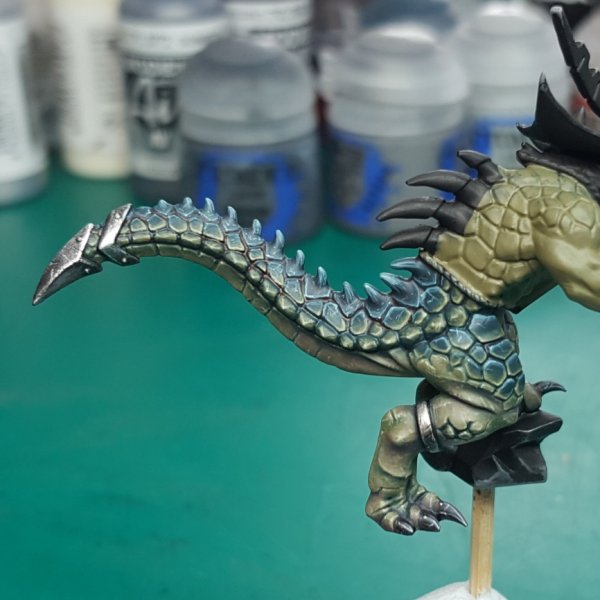
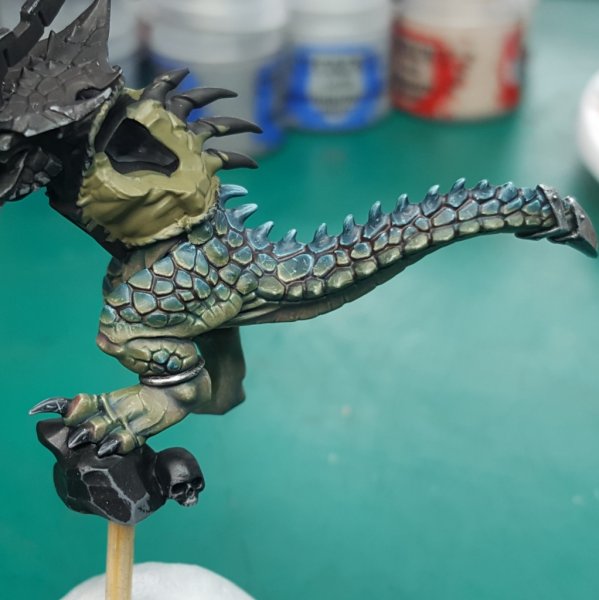
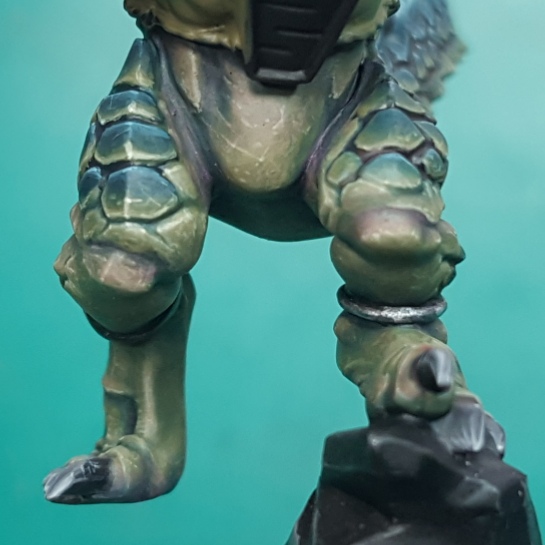
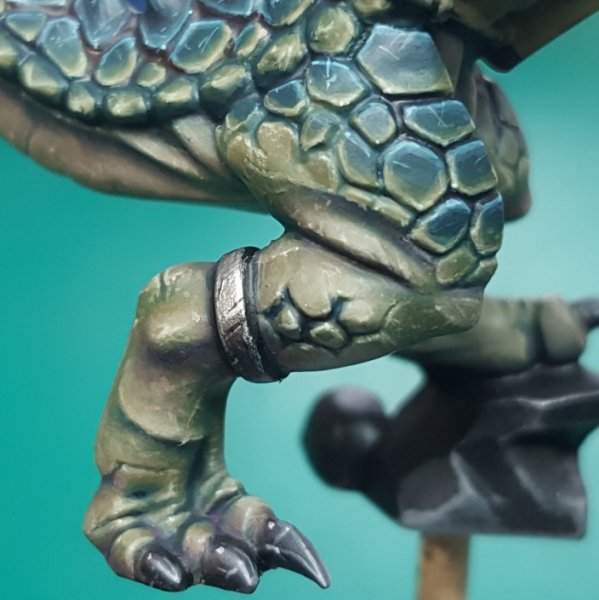
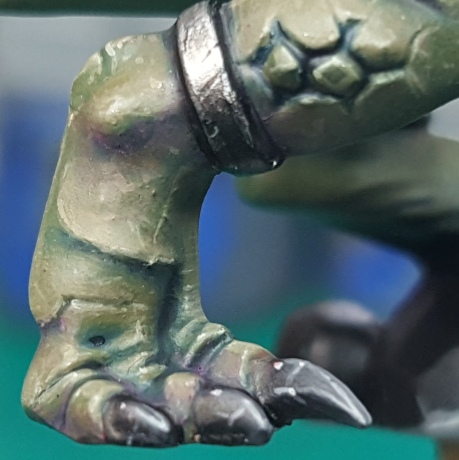
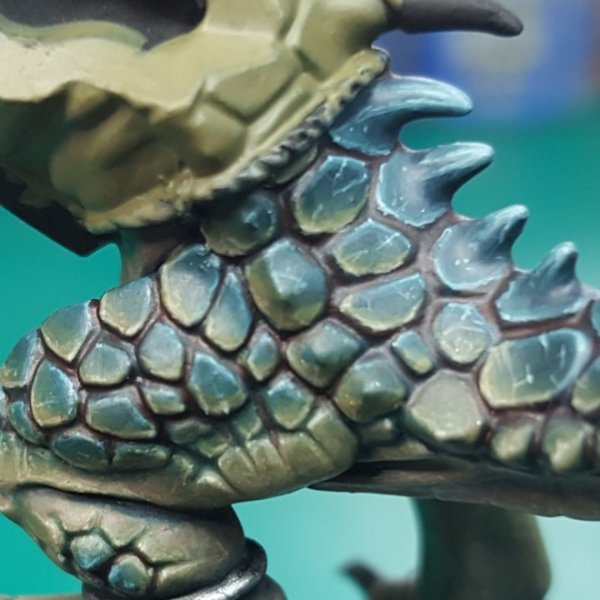
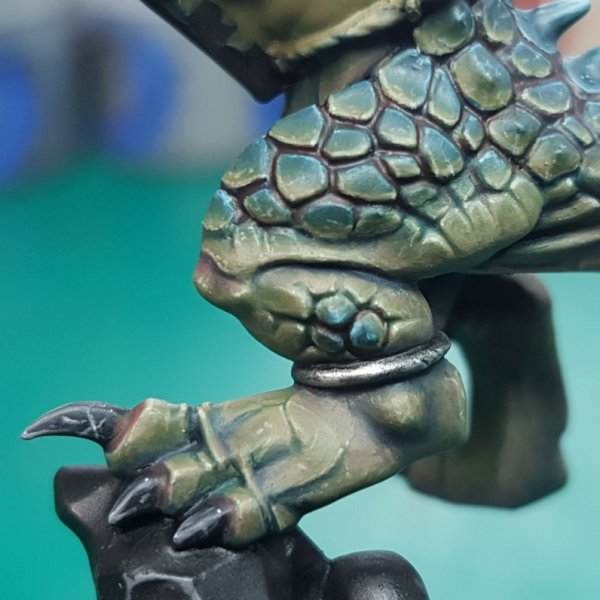
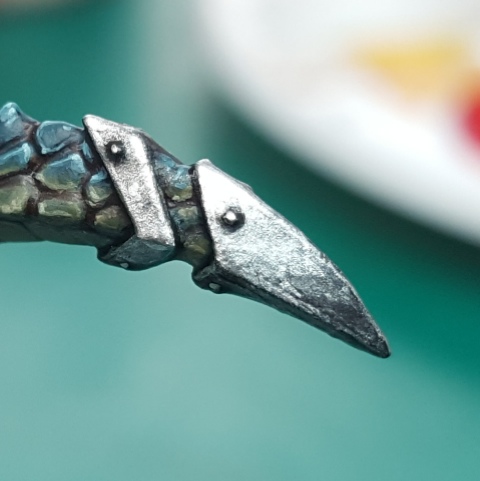
Calling the lower half done, moving onto the torso/arms.
Some really brutal close ups here, I also tried to improve my TMM after previous feedback.
All C&C is welcome
Thanks

Ripperdactyl
bOdziO Wolf
Well-Known Member
- Messages
- 490
- Likes Received
- 1,384
- Trophy Points
- 93
Do I see correctly that you painted that cracks on metal pieces freehandedly?
Saurus
Sir Rathalos
Well-Known Member
- Messages
- 70
- Likes Received
- 277
- Trophy Points
- 53
Do I see correctly that you painted that cracks on metal pieces freehandedly?
Yes, tried to up my TMM game, so I've tried to increase the contrast as well as add chipping to the metal.
Thanks

Carnasaur
ASSASSIN_NR_1
Well-Known Member
- Messages
- 1,231
- Likes Received
- 2,104
- Trophy Points
- 113
Model looks great already, even though the top half is unfinished.
How do you get those smooth blends and color-transitions?
How do you get those smooth blends and color-transitions?
Troglodon
Joshua Horchler
Well-Known Member
- Messages
- 619
- Likes Received
- 1,351
- Trophy Points
- 93
Inspiring work. Any chance you'd share how you handled the "fleshy" reddish purple parts of the skin? I love that natural look and you executed it so well. I'd love to try and emmulate it 
Ripperdactyl
bOdziO Wolf
Well-Known Member
- Messages
- 490
- Likes Received
- 1,384
- Trophy Points
- 93
Yes, tried to up my TMM game, so I've tried to increase the contrast as well as add chipping to the metal.
Thanks
So its freehand cracks and contrast. May I ask you if the contrast is a pure wash or did you use multiple silver metallic paint "species"?
Saurus
Sir Rathalos
Well-Known Member
- Messages
- 70
- Likes Received
- 277
- Trophy Points
- 53
Model looks great already, even though the top half is unfinished.
How do you get those smooth blends and color-transitions?
Combination of glazing, wet blending and spit blending. I based the model in mid tone, then shaded down via glazes of my shadow colour, I then could add a recess shade of the darkest shadow colour. To bring the colour back up I would spit blend, this is done by applying the paint, then wetting the brush quickly (often using the mouth) and then blending the colours in. Its quite difficult to explain how to blend, it's something that gets easier the more you do it as you'll understand how the paint/brush moves about. The paint usually tends to be strongest at the end of the stroke, so always end your stroke where you want tge most pigment.
Probably not the best explanation, but I hope it helps.
Its usually easier if you can see it visually, I'd recommend you check out 'Squidmar Miniatures' on YouTube. He does really high quality videos, and his painting is high quality.
Thanks
Saurus
Sir Rathalos
Well-Known Member
- Messages
- 70
- Likes Received
- 277
- Trophy Points
- 53
Inspiring work. Any chance you'd share how you handled the "fleshy" reddish purple parts of the skin? I love that natural look and you executed it so well. I'd love to try and emmulate it
I did very subtle glazes of Scale75 'sunset Purple' and 'blood red'
The paints need to be thinned like water, add the paint to the brush then just touch some kitchen roll (who whatever you usually use to dry your brush) then carefully glaze into the area you want the colour. The pigment is strongest where the brush stroke ends, so always glaze into where you want the colour.
The pigments are quite strong so you need to moderate how much you apply, less is more, its best to add too little then too much, as you can always come back to it.
Thanks
Saurus
Sir Rathalos
Well-Known Member
- Messages
- 70
- Likes Received
- 277
- Trophy Points
- 53
So its freehand cracks and contrast. May I ask you if the contrast is a pure wash or did you use multiple silver metallic paint "species"?
Colours I used were vallejo model air 'steel' and 'chrome' as well as scale75 'decay black'.
I based the metal in vallejo steel, I then glazed Chrome into where I wanted the metal to be brightest. Decay black could then be used to glaze into the areas I want darkest, the good thing about decay black is that it is quite glossy so it will not dull the metal.
I could then use the previous colours to glaze back up into areas I wanted brightest again. Edges could now be highlighted via chrome.
I added chipping via very small lines or dots of the black, I then added chrome under each chipp to add highlight it, and add depth. Small stippling of chrome or very fine lines could be added to create scratches / pitting.
Hope this helps
Thanks
Ripperdactyl
bOdziO Wolf
Well-Known Member
- Messages
- 490
- Likes Received
- 1,384
- Trophy Points
- 93
That is a very detailed explanation, thank you very much!

Saurus
Sir Rathalos
Well-Known Member
- Messages
- 70
- Likes Received
- 277
- Trophy Points
- 53
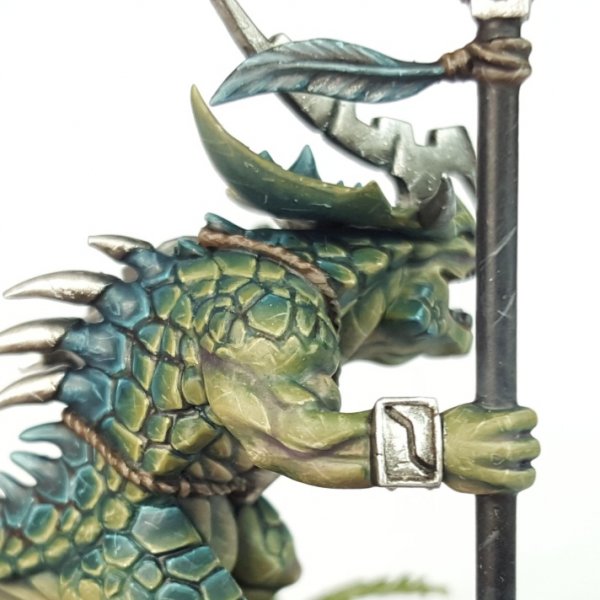
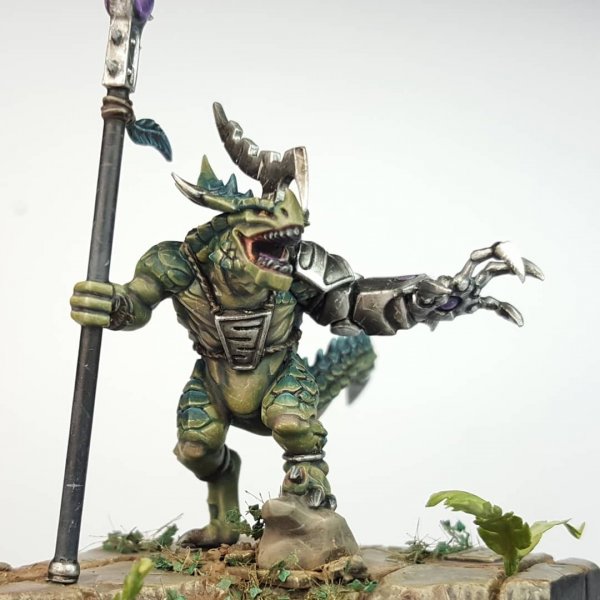
Here is the finished Saurus Scar Veteran.
What an awesome project, thoroughly enjoyed this guy, was welp worth the wait.
C&C is always welcome
Thanks
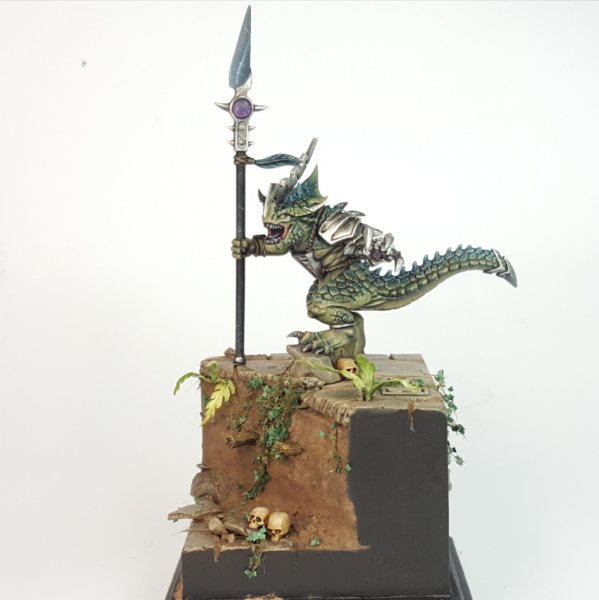
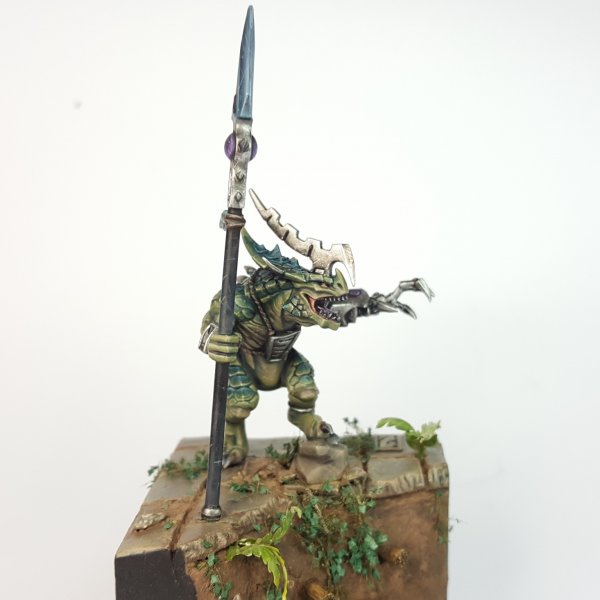
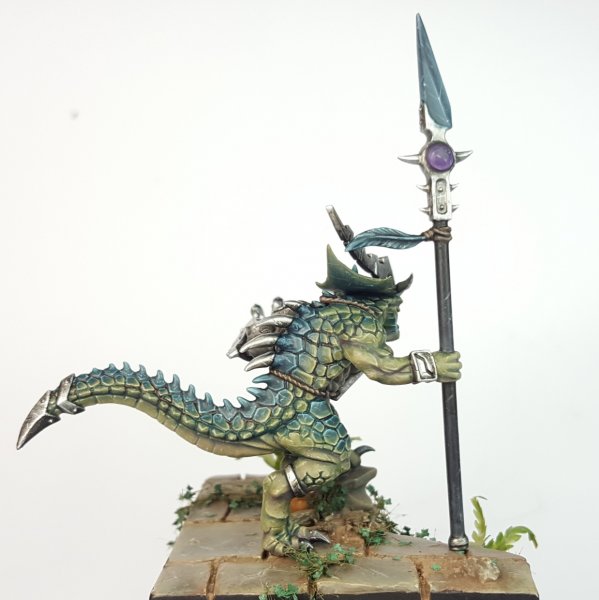
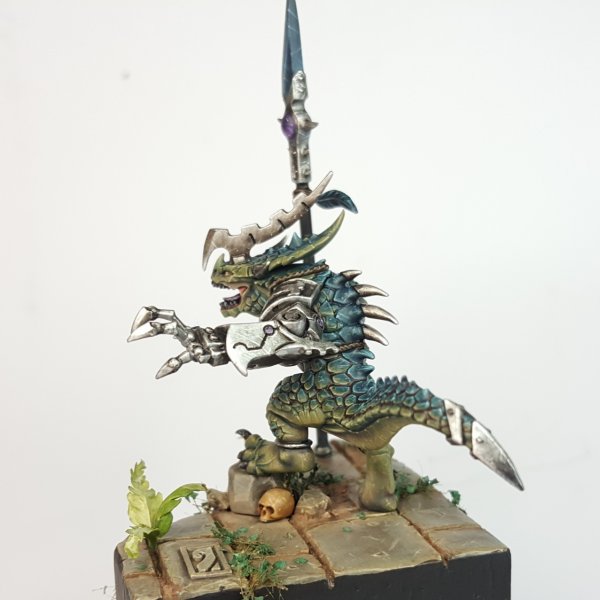
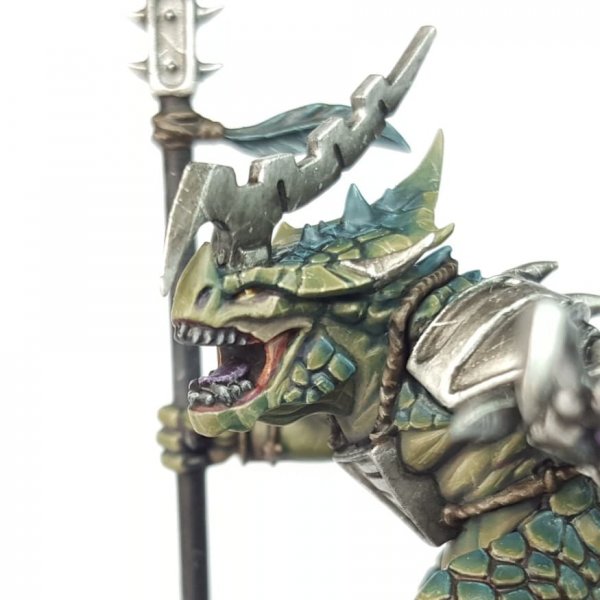
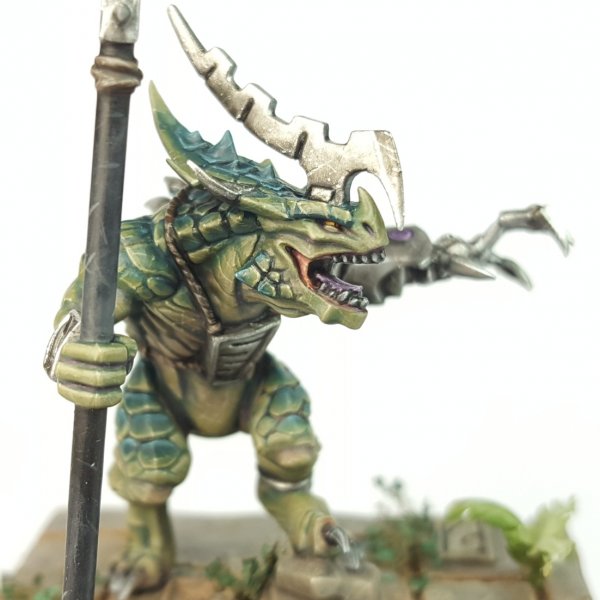
What an awesome project, thoroughly enjoyed this guy, was welp worth the wait.
C&C is always welcome
Thanks
Saurus
Sir Rathalos
Well-Known Member
- Messages
- 70
- Likes Received
- 277
- Trophy Points
- 53
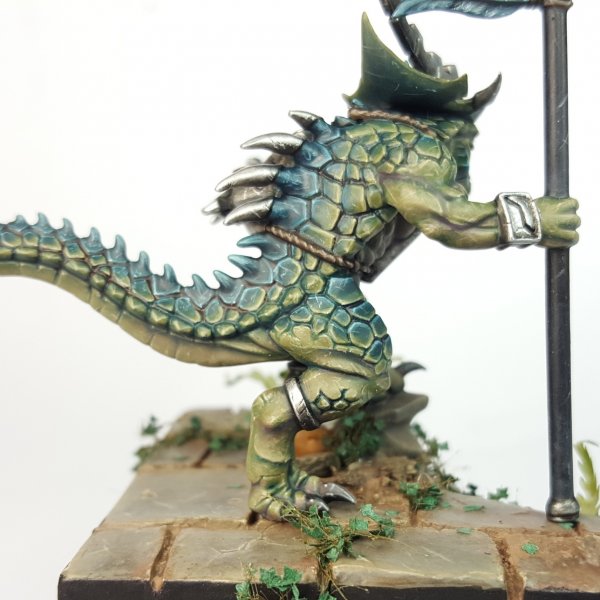
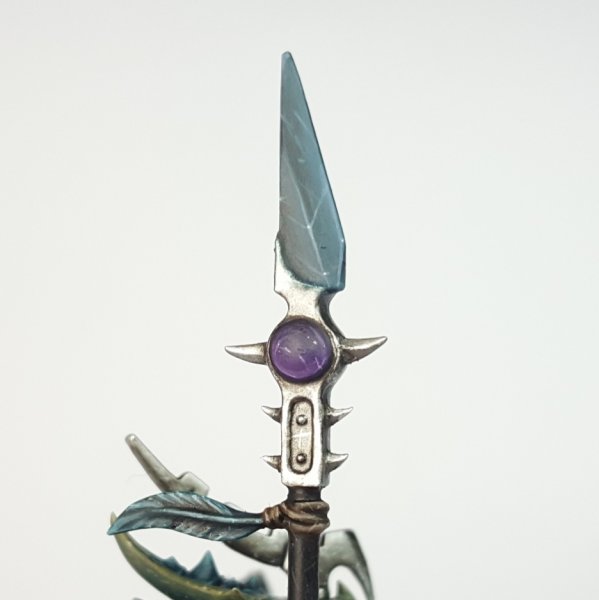
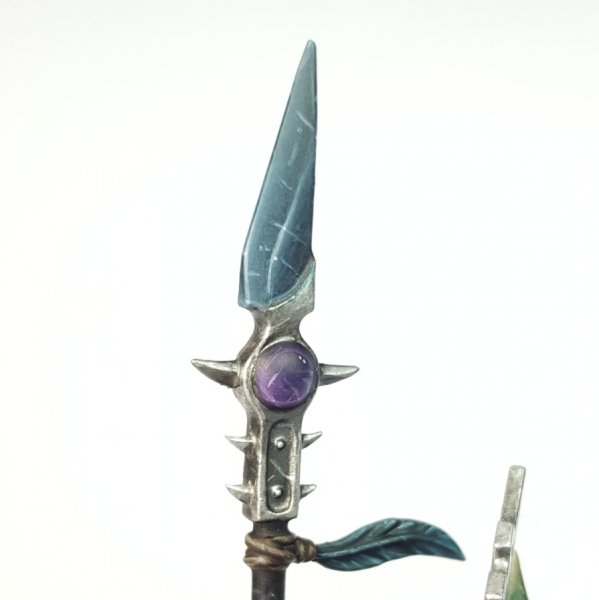
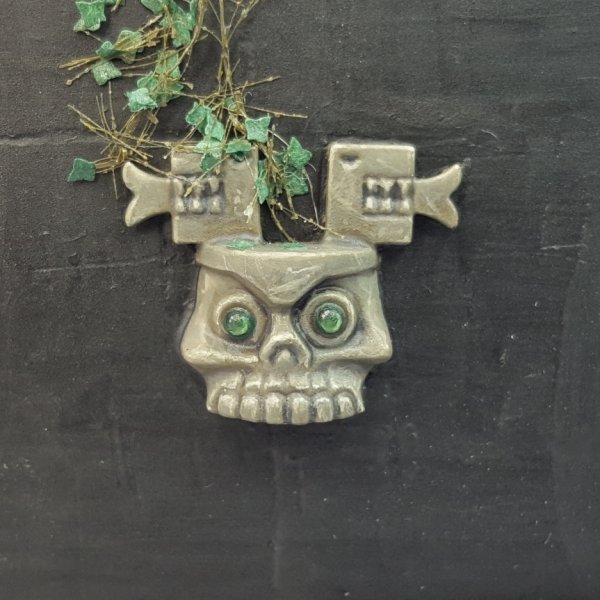
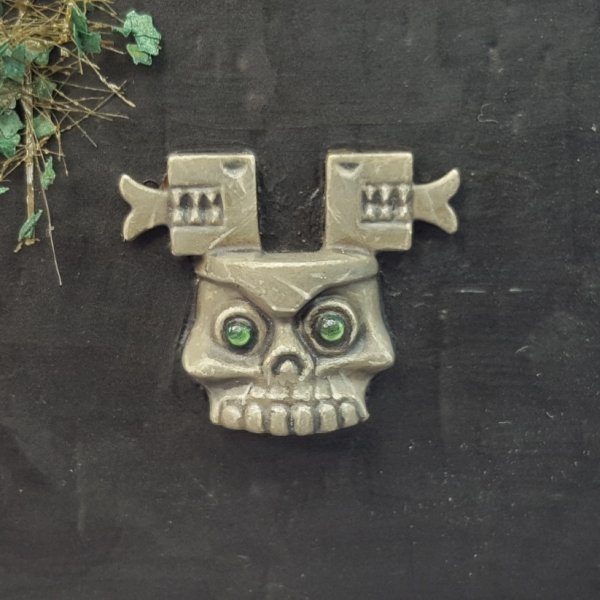
Some more pics


Skink
Xiuhtecuhtli
Member
- Messages
- 21
- Likes Received
- 30
- Trophy Points
- 13
@Sir Rathalos Incredible work. How did you make the stone texture on your base?

Skink Chief
ravagekitteh
Well-Known Member
- Messages
- 1,577
- Likes Received
- 2,880
- Trophy Points
- 113
Awesome work!
Saurus
Sir Rathalos
Well-Known Member
- Messages
- 70
- Likes Received
- 277
- Trophy Points
- 53
@Sir Rathalos Incredible work. How did you make the stone texture on your base?
The paving was done by sculpting milliput, I also added some glyphs from various lizardmen kits.
Saurus
Sir Rathalos
Well-Known Member
- Messages
- 70
- Likes Received
- 277
- Trophy Points
- 53
He looks amazing!
Awesome work!
Cheers