
Carnasaur
Itepixcauh
Stranded Ghekkotah
- Messages
- 1,038
- Likes Received
- 3,048
- Trophy Points
- 113
Hello,
To help the new players use the amazing and free online tool Mantic has created to make army lists, I've decided to make a small tutorial to guide you through the whole process. Let's start:
Just go to http://kow2.easyarmy.com/ to load the Army Builder
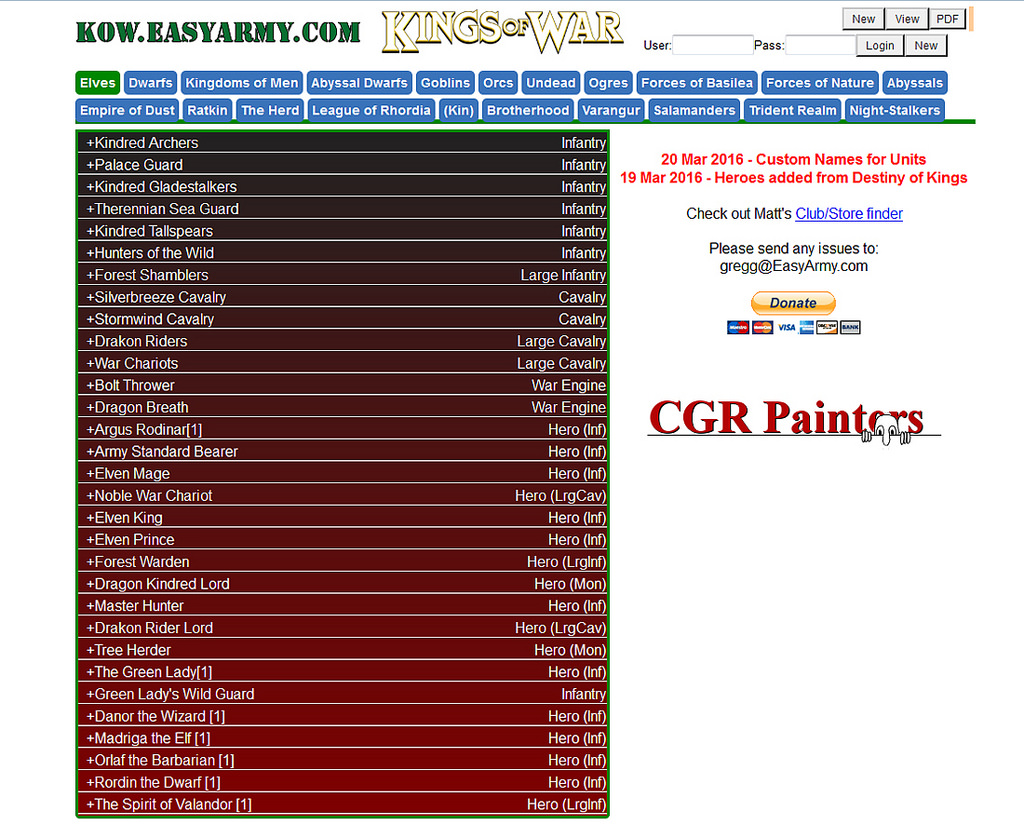
On top is the view that you will see by default. On top in blue you see the different armies, the one selected is highlighted in green, the default list is Elves, so to change to the list you want (I'm assuming Salamanders, just click on it).
Once you are in the desired Army list you will see on the left the full list of options available for you to choose, including what type of unit it is (Infantry, Cavalry, etc). To start building your list just click on the name of the unit you wish to add.
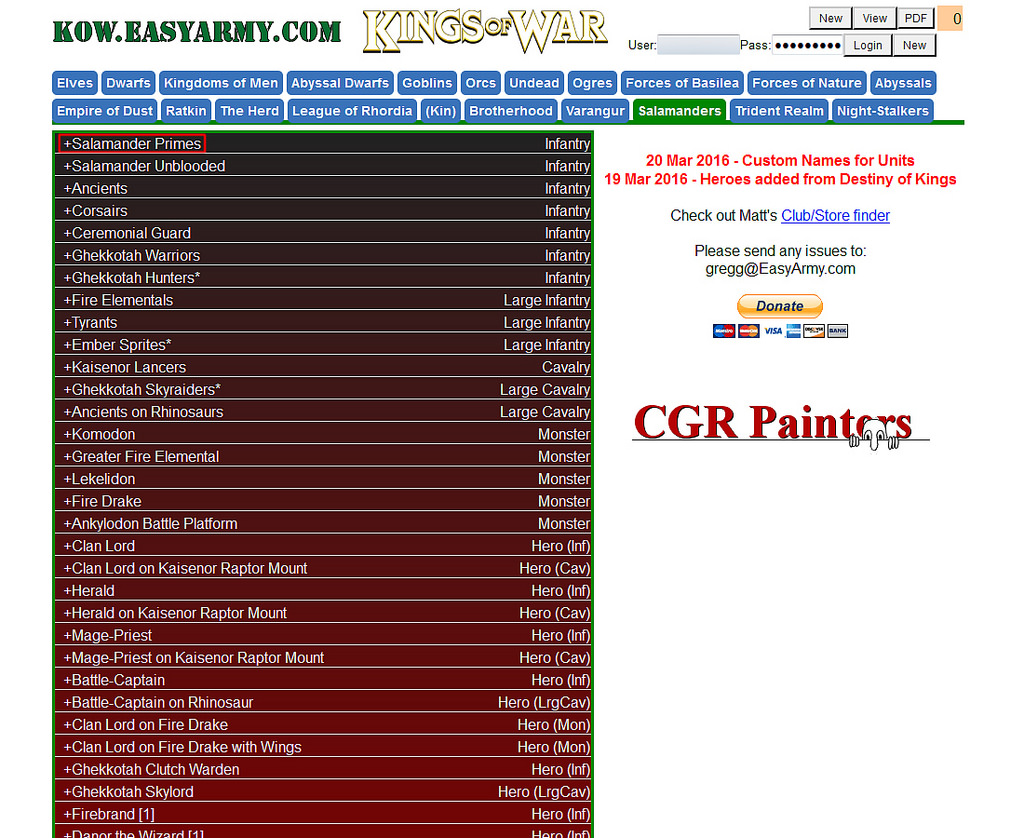
That will expand the different unit sizes you can choose from, in my case I've chosen the Primes and I can choose to add a Troop, Regiment or Horde. Just click the "Add" button of the desired option.
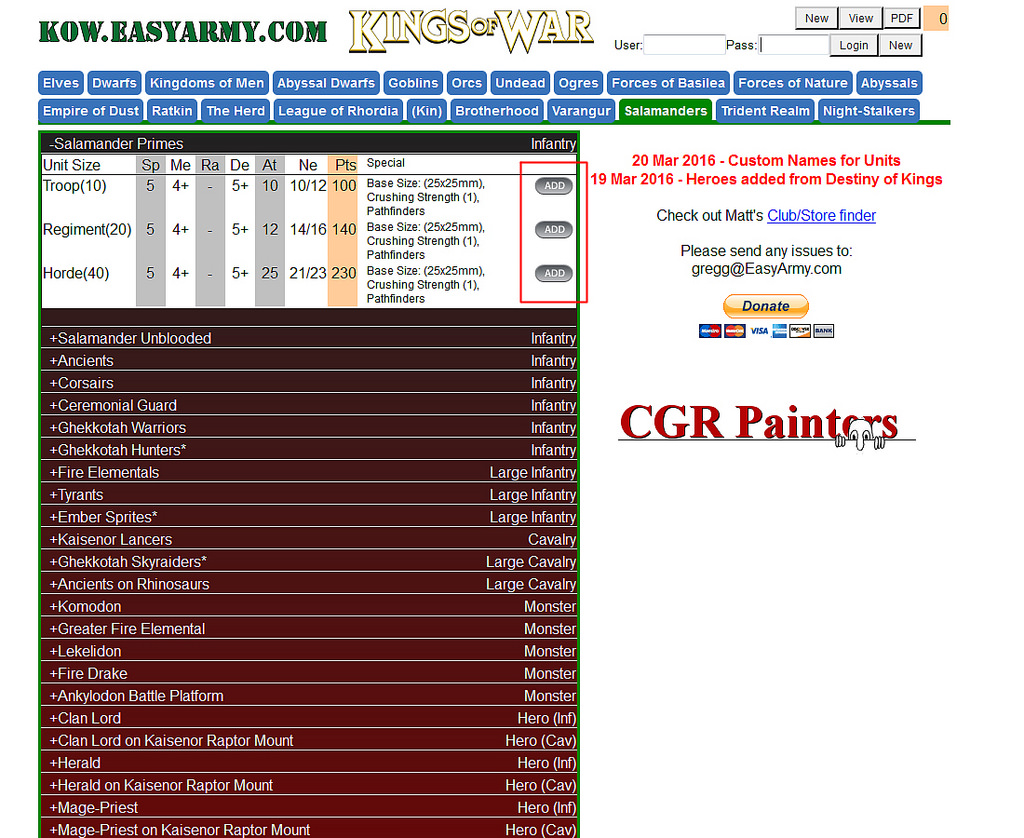
Once you do that, on the right your army list will start to take shape, you will see the unit you've selected with its stats and points value, to remove that unit from the list just click on the small red cross on the right of the units profile. To see the special options and to add artefacts to it, just click on the units size, where the small round green icon is, bellow in red is the place to click.
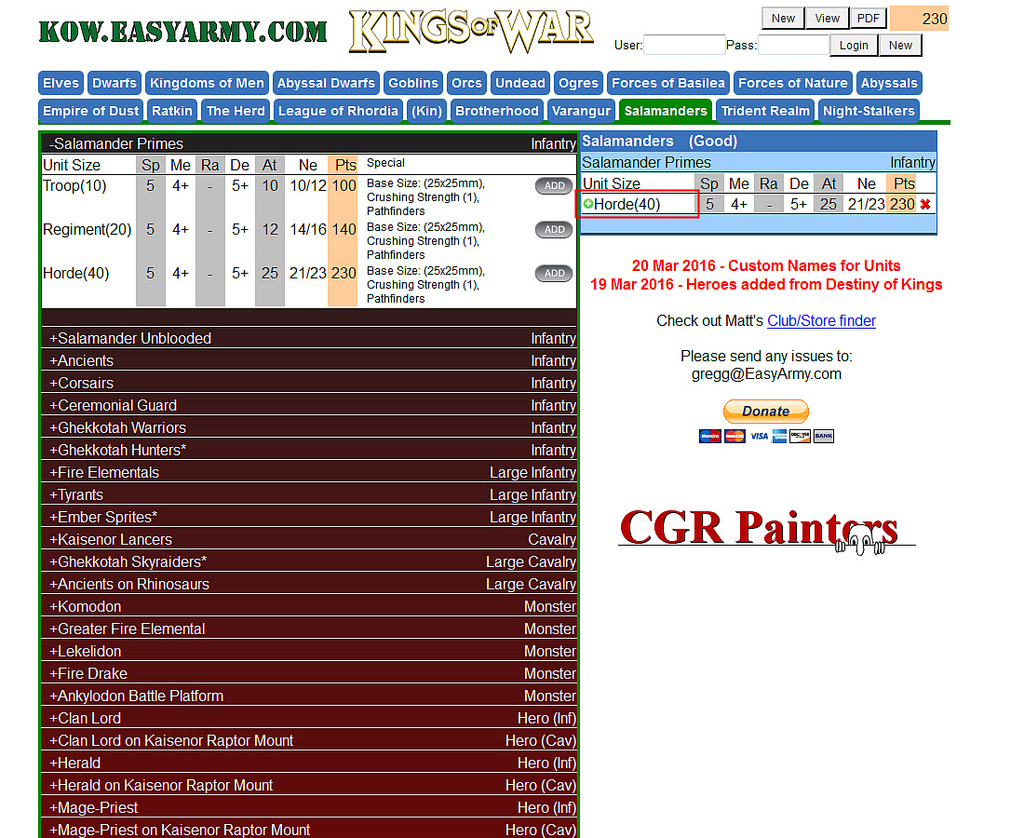
A pop-up will appear where you will be see all the available options, including the option to name your unit. On the left the units unique options and on the right the available artefacts, all with their point cost. To select one, just click on the box near it. Once you are done, just click on the cross on the top-right corner of the pop-up.
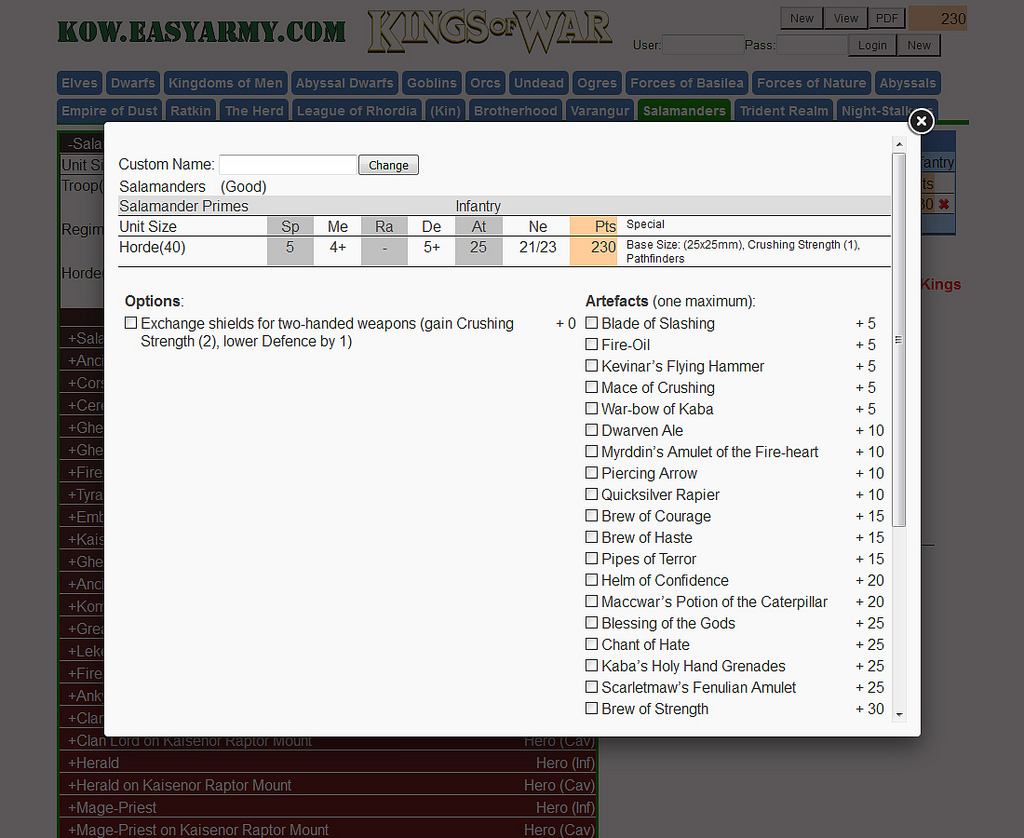
The army builder is designed to give an error if the unit selected to add is not available due to the number of regiments or hordes not being enough. I've made an incorrect selection for you to see the error message, just check the image bellow.
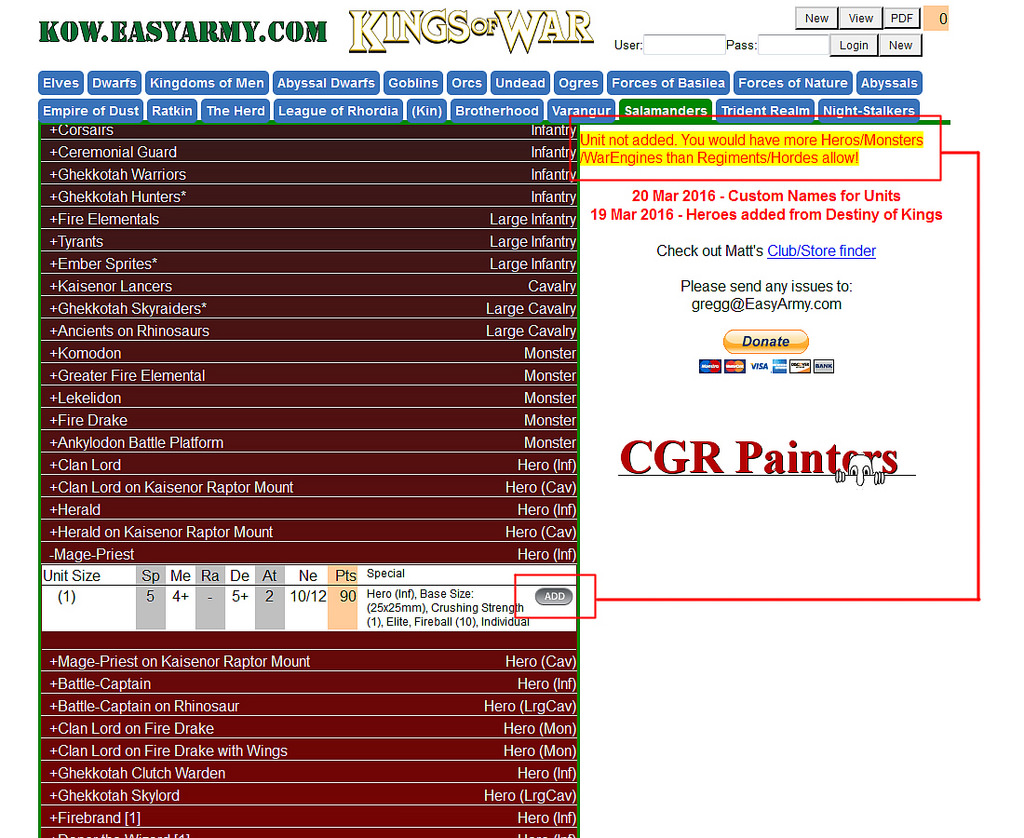
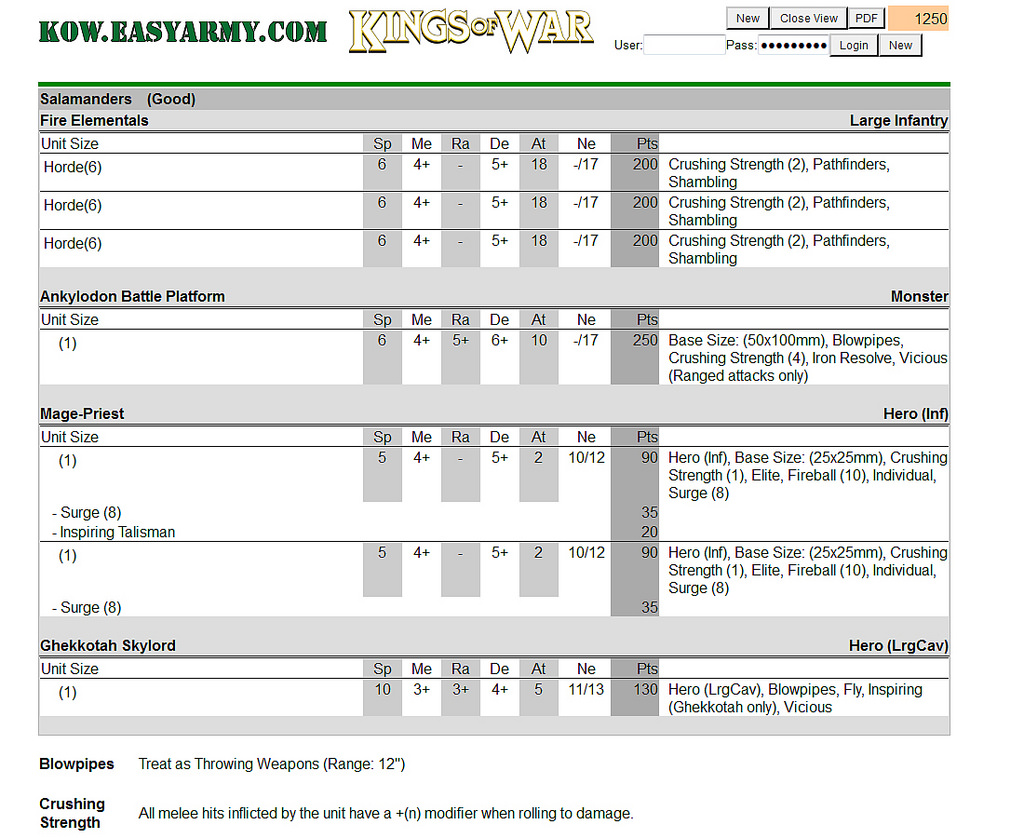
Once you have your army selected, you can either view the full list online or download it to PDF. Just click either of two options on the top right corner of the screen, next to where the total points value of the list is shown.
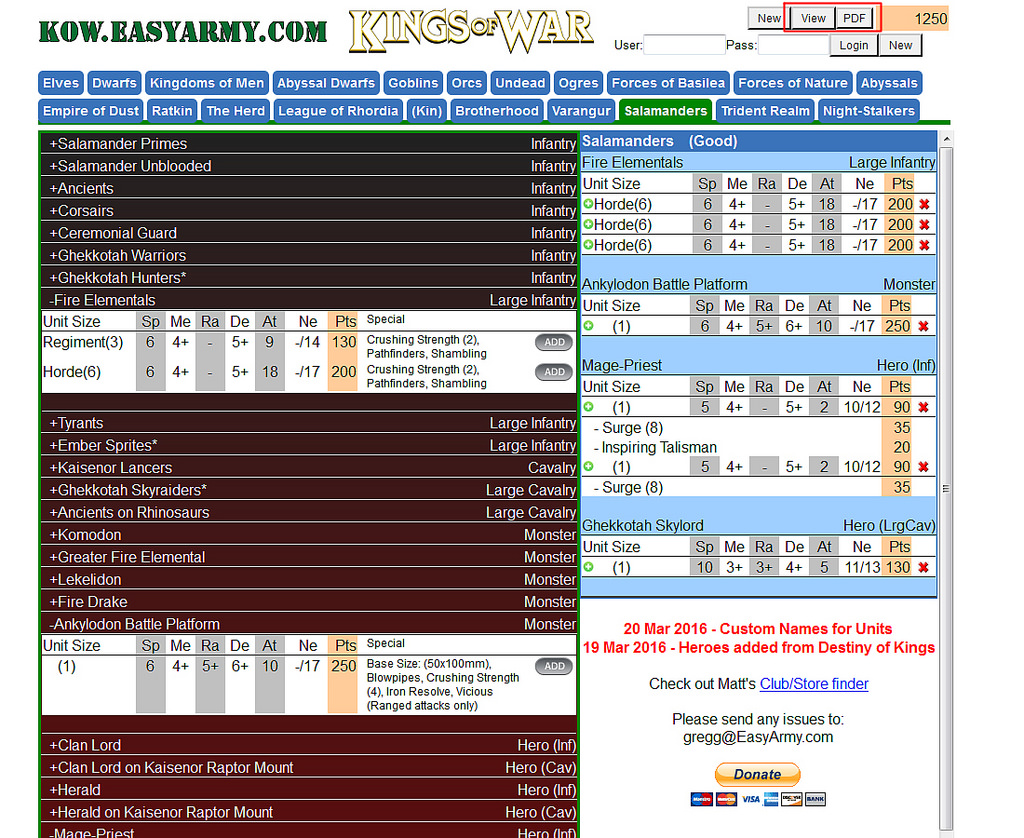
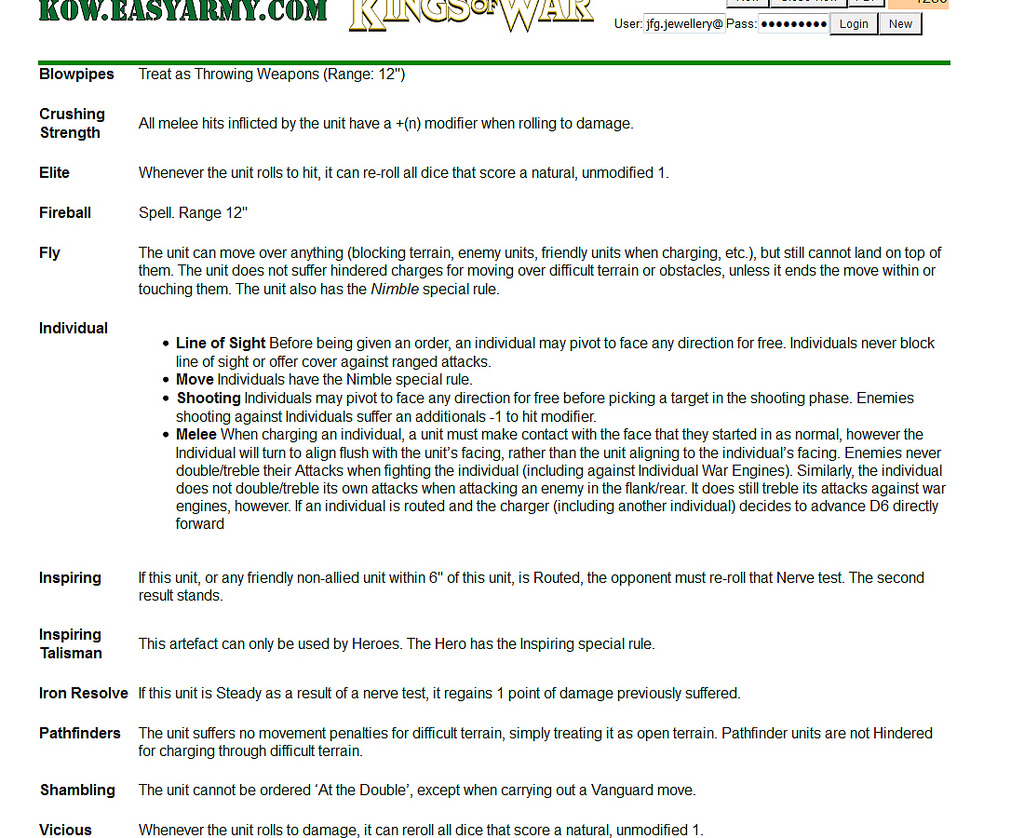
Whatever method you choose, you will see the full army list, including the profile, type, point cost and special rules of each unit. Bellow the units profiles you will get a full description of each special rule you have in your troops as well as the effects of all the Artefacts you have selected, so you don't need to loose time looking them up on the rulebook.
And that covers all the basics. You don't even need to register to use it, if you do register you will have the option to save your army lists so you don't have to them again, but nothing else. It doesn't' really matter as it's free to register, so do it for your own convenience.
Thanks for reading!!
To help the new players use the amazing and free online tool Mantic has created to make army lists, I've decided to make a small tutorial to guide you through the whole process. Let's start:
Just go to http://kow2.easyarmy.com/ to load the Army Builder
On top is the view that you will see by default. On top in blue you see the different armies, the one selected is highlighted in green, the default list is Elves, so to change to the list you want (I'm assuming Salamanders, just click on it).
Once you are in the desired Army list you will see on the left the full list of options available for you to choose, including what type of unit it is (Infantry, Cavalry, etc). To start building your list just click on the name of the unit you wish to add.
That will expand the different unit sizes you can choose from, in my case I've chosen the Primes and I can choose to add a Troop, Regiment or Horde. Just click the "Add" button of the desired option.
Once you do that, on the right your army list will start to take shape, you will see the unit you've selected with its stats and points value, to remove that unit from the list just click on the small red cross on the right of the units profile. To see the special options and to add artefacts to it, just click on the units size, where the small round green icon is, bellow in red is the place to click.
A pop-up will appear where you will be see all the available options, including the option to name your unit. On the left the units unique options and on the right the available artefacts, all with their point cost. To select one, just click on the box near it. Once you are done, just click on the cross on the top-right corner of the pop-up.
The army builder is designed to give an error if the unit selected to add is not available due to the number of regiments or hordes not being enough. I've made an incorrect selection for you to see the error message, just check the image bellow.
Once you have your army selected, you can either view the full list online or download it to PDF. Just click either of two options on the top right corner of the screen, next to where the total points value of the list is shown.
Whatever method you choose, you will see the full army list, including the profile, type, point cost and special rules of each unit. Bellow the units profiles you will get a full description of each special rule you have in your troops as well as the effects of all the Artefacts you have selected, so you don't need to loose time looking them up on the rulebook.
And that covers all the basics. You don't even need to register to use it, if you do register you will have the option to save your army lists so you don't have to them again, but nothing else. It doesn't' really matter as it's free to register, so do it for your own convenience.
Thanks for reading!!





 ), the less AoS the better.