
Scar-Veteran
spawning of Bob
Well-Known Member
- Messages
- 2,911
- Likes Received
- 5,630
- Trophy Points
- 113
edit - process redesigned
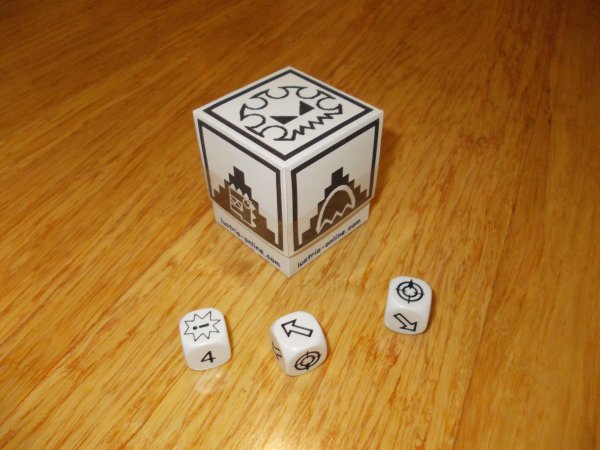
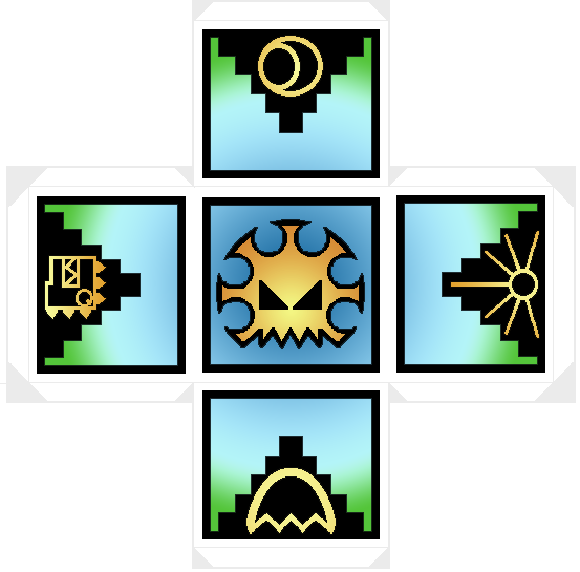
here's an n810 custom colour version of the template:
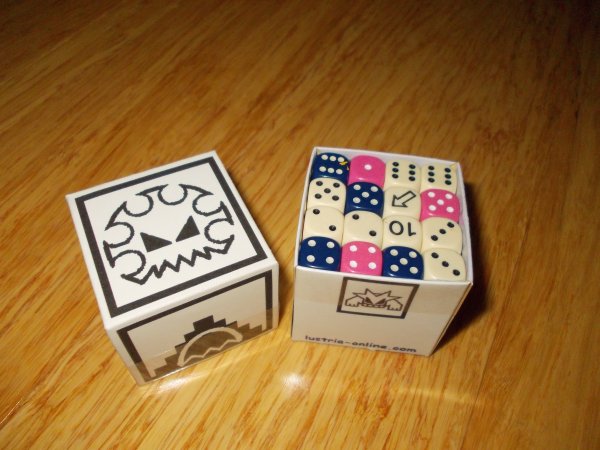
The box is sized to take 27 or 36 16mm dice (the lid just doesn't go down as far). It works fine with 27 16mm dice plus 4x 20mm dice on top. It's a good fit for 64x regular GW size dice too.
I did this in Microsoft Paint, but any program that will let you print actual size should work. I printed onto sticky label paper and then stuck it onto thin card. If you can print directly onto card, that will save you a step.
edit - check bottom of procedure for a simpler construction process.
1. Paste the template links as a file name open them in Paint:
http://imageshack.us/a/img821/6825/8xk.png
http://imageshack.us/a/img694/8872/uqkt.png
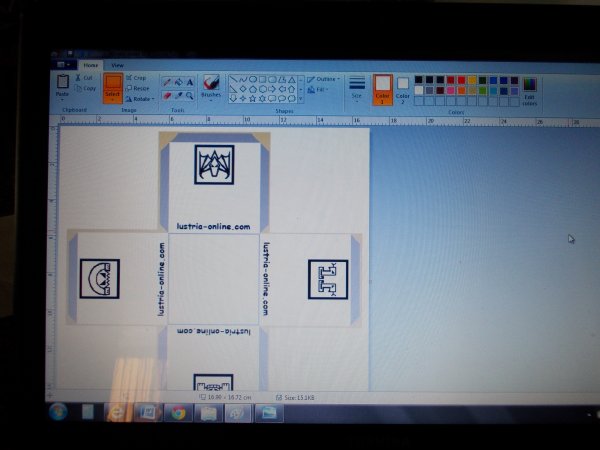 The bottom surface is blank for you to add your name, avatar, sponsor's logo etc
2. Open Print preview. On "Page Setup" change scaling from "Fit to" 1 x 1 to "adjust to" 100%
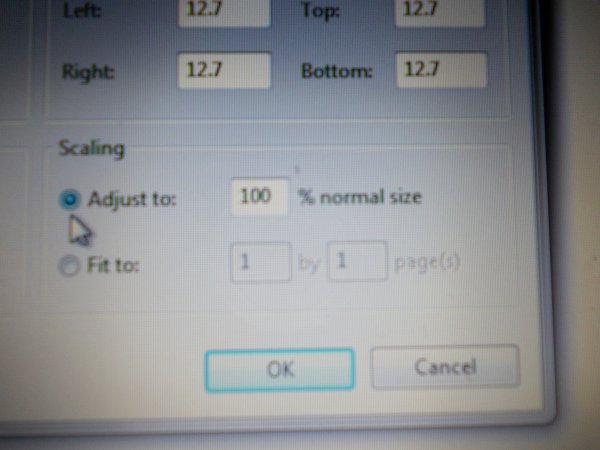
3. Print onto label paper. Stick onto light cardboard BEFORE cutting out.
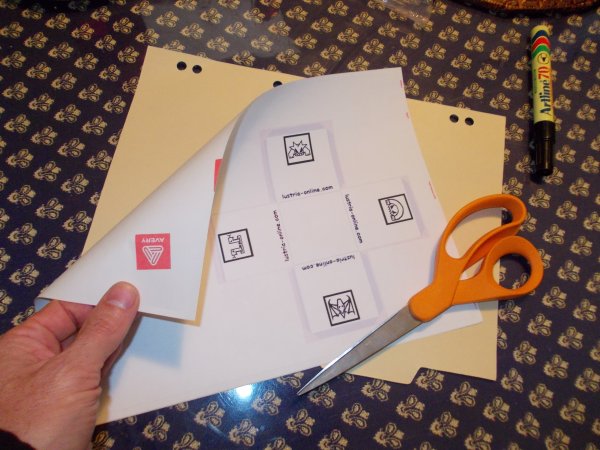
4. Cut out. If you want to glue the tabs, you may wish to extend them in a triangular shape to give you more surface area.
5. Score the fold lines using a chopstick. (Use eye protection)
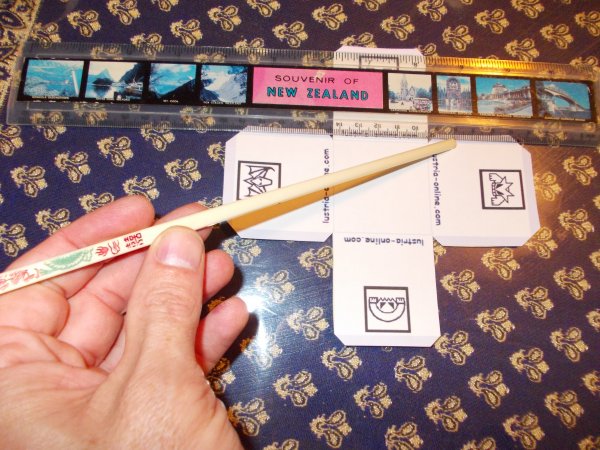
6. Fold in all score lines
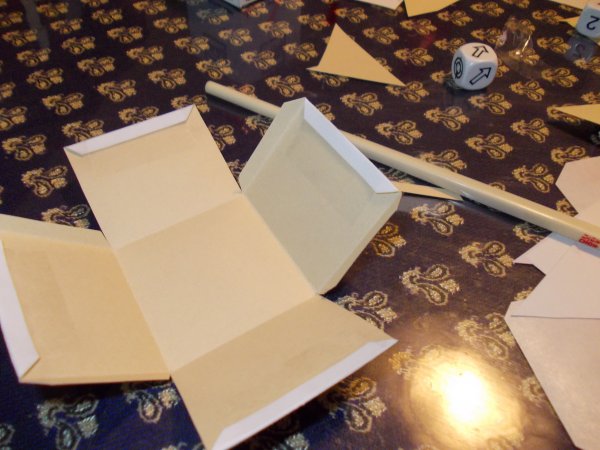
7. Fold and fix edge tabs. I used clear adhesive tape because I am impatient. Someone else can try glueing and let us know how it goes.
8. Fold and fix inner tabs. This is easier than it sounds. Remember that you are taping the inside of the box.
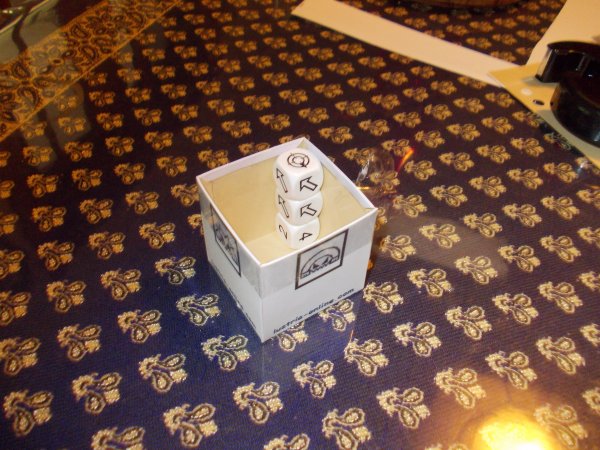 I also ran a band of tape around the open edge to keep the corners tucked in nicely.
9. Repeat for lid.
10. Watch your opponents weep with envy.
GET FOLDING
edit - improved process
1. Get or make a box. Whatever size or shape you want. Go nuts. make several.
2. Open http://imageshack.us/a/img821/6825/8xk.png
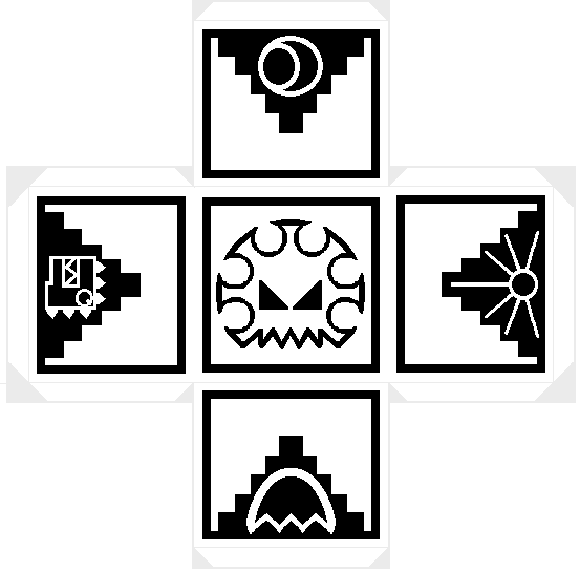 and http://imageshack.us/a/img694/8872/uqkt.png
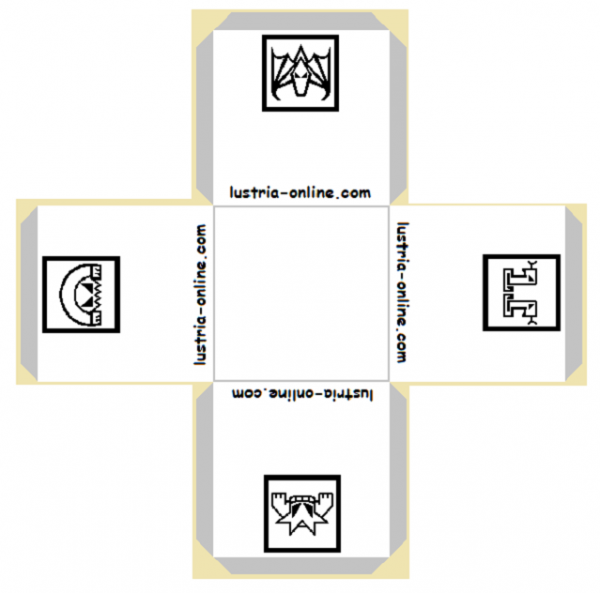
as per step 2 above.
3. Resize them or rearrange the borders to fit your special box.
4. Print onto sticky label paper.
5. Just cut each square out and stick the damn things on the sides of your box. No folding, no chopsticks, no messy accidents.
6. Variation - replace any of the sides with your own n810 custom avatar
http://www.lustria-online.com/threads/does-anybody-else-want-a-custom-avatar.12655/
7. Crush your enemies, see them driven before you, and hear the lamentation of their women.
Enjoy
here's an n810 custom colour version of the template:
The box is sized to take 27 or 36 16mm dice (the lid just doesn't go down as far). It works fine with 27 16mm dice plus 4x 20mm dice on top. It's a good fit for 64x regular GW size dice too.
I did this in Microsoft Paint, but any program that will let you print actual size should work. I printed onto sticky label paper and then stuck it onto thin card. If you can print directly onto card, that will save you a step.
edit - check bottom of procedure for a simpler construction process.
1. Paste the template links as a file name open them in Paint:
http://imageshack.us/a/img821/6825/8xk.png
http://imageshack.us/a/img694/8872/uqkt.png
The bottom surface is blank for you to add your name, avatar, sponsor's logo etc2. Open Print preview. On "Page Setup" change scaling from "Fit to" 1 x 1 to "adjust to" 100%
3. Print onto label paper. Stick onto light cardboard BEFORE cutting out.
4. Cut out. If you want to glue the tabs, you may wish to extend them in a triangular shape to give you more surface area.
5. Score the fold lines using a chopstick. (Use eye protection)
6. Fold in all score lines
7. Fold and fix edge tabs. I used clear adhesive tape because I am impatient. Someone else can try glueing and let us know how it goes.
8. Fold and fix inner tabs. This is easier than it sounds. Remember that you are taping the inside of the box.
I also ran a band of tape around the open edge to keep the corners tucked in nicely.9. Repeat for lid.
10. Watch your opponents weep with envy.
GET FOLDING
edit - improved process
1. Get or make a box. Whatever size or shape you want. Go nuts. make several.
2. Open http://imageshack.us/a/img821/6825/8xk.png
and http://imageshack.us/a/img694/8872/uqkt.png as per step 2 above.
3. Resize them or rearrange the borders to fit your special box.
4. Print onto sticky label paper.
5. Just cut each square out and stick the damn things on the sides of your box. No folding, no chopsticks, no messy accidents.
6. Variation - replace any of the sides with your own n810 custom avatar
http://www.lustria-online.com/threads/does-anybody-else-want-a-custom-avatar.12655/
7. Crush your enemies, see them driven before you, and hear the lamentation of their women.
Enjoy