
• The forum software have been upgraded to the latest version.

    If you notice anything that looks off, or does not work, please let us know.

    For more information, click here.

Announcement Forum Upgrade

@The Red Devil

Another thing I've noticed a couple of times now is that if I copy and paste a GIF from google images, it will show up on the forum as a static picture. If I instead take that same image, save it to my computer, and upload it to the forum, it works properly as GIF. I don't remember running into that problem before the forum update.
 
@The Red Devil

Another thing I've noticed a couple of times now is that if I copy and paste a GIF from google images, it will show up on the forum as a static picture. If I instead take that same image, save it to my computer, and upload it to the forum, it works properly as GIF. I don't remember running into that problem before the forum update.

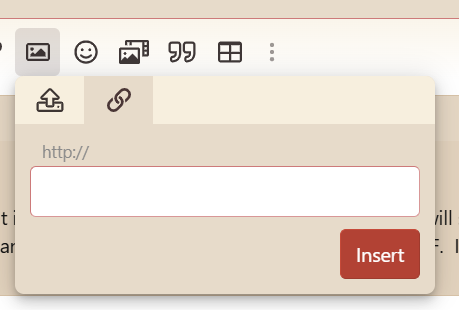
If you copy the link of the gif (through 'copy image address') rather than the gif image itself, and use the 'by URL' version of the image uploader, the gif also works that way. For a long while I had done this when uploading gifs to Lustria anyway, so for me it's pretty much a return to the old form.

1776843723888.png

200.gif
 
As of yesterday when I go to attach files on mobile, it brings up my files app in my phone but it's completely black and won't let me choose images I have saved
What brand/model phone do you have? Tested on a Samsung with Android and it works as expected.

When you say its completely black, I assume you refer to the image that is uploaded?
Oh weird, some emoji not working here either, last post had more than the pickaxe!
It only supports the emojis that XenForo has added to the system. It is also possible to add more by creating them specifically with an icon image.
I rather miss the green one that was grinning... replaced with this one :D which looks rather more gormless and spaced-out.
Ill see if I cant get this added as well!
Another thing I've noticed a couple of times now is that if I copy and paste a GIF from google images, it will show up on the forum as a static picture. If I instead take that same image, save it to my computer, and upload it to the forum, it works properly as GIF. I don't remember running into that problem before the forum update.
Tested this, and it seems that if I choose "copy image", the browser creates a PNG copy of the image and not a GIF (which is why it lose the animation). So seems this is perhaps a browser issue and not tied to the forum. If I use the link, or drag the image from one window to the forum reply area, it is included as an animated gif.
 
Back
Top