• The forum software have been upgraded to the latest version.

    If you notice anything that looks off, or does not work, please let us know.

    For more information, click here.

Blog Salamander Custom Mini - Xlanax_lot's Workshop

Hi Guys Sorry for taking so long to post This! But here is a small walktrough of how I made my Golden Serpent entries.

Hope you enjoy and dont hesitate to ask questions.

Lets Go with the Night Goblin First!
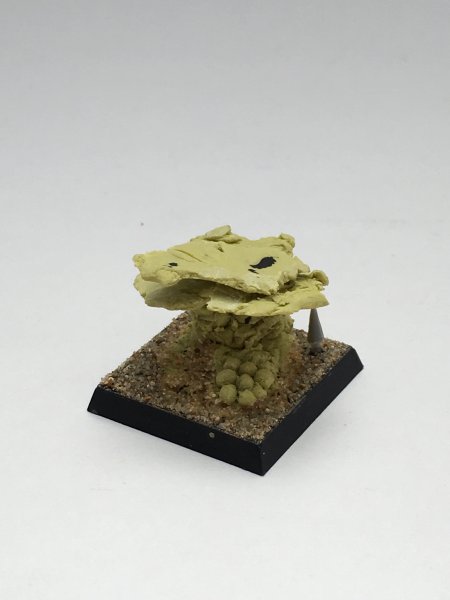
IMG_1079.JPG

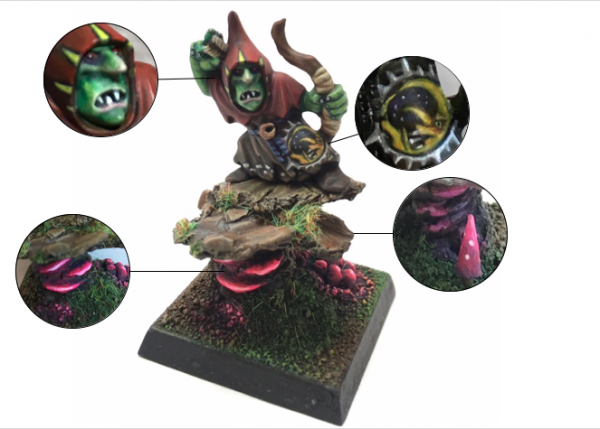
I first started by doing the base using milli put, tried to give it a feeling of a dirty mushroom cave
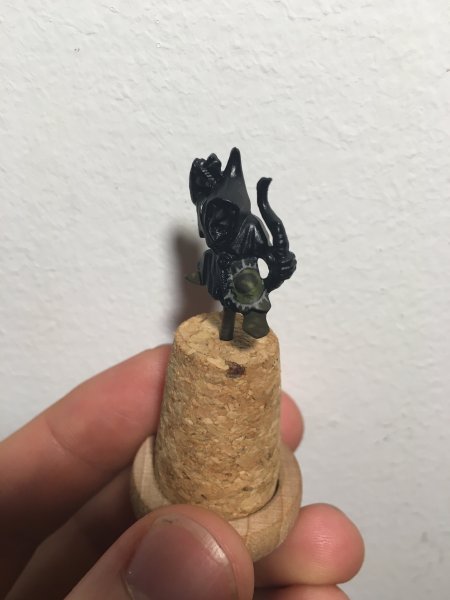
IMG_0930.JPG

The next step was my first attempt at free hand painting. I started by drawing very crudely the bad moon.
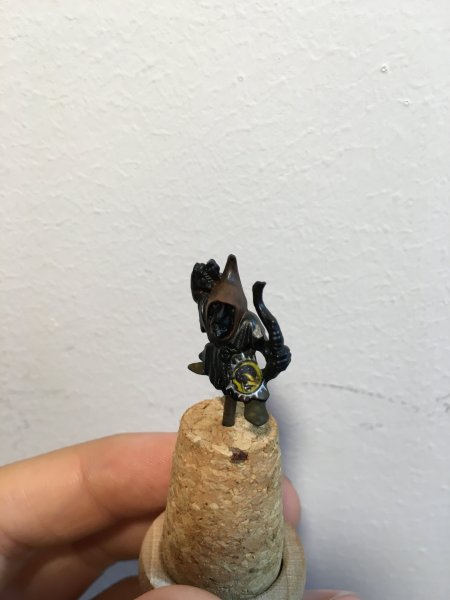
IMG_0952.JPG

Than I painted the details on it with a detail brush.
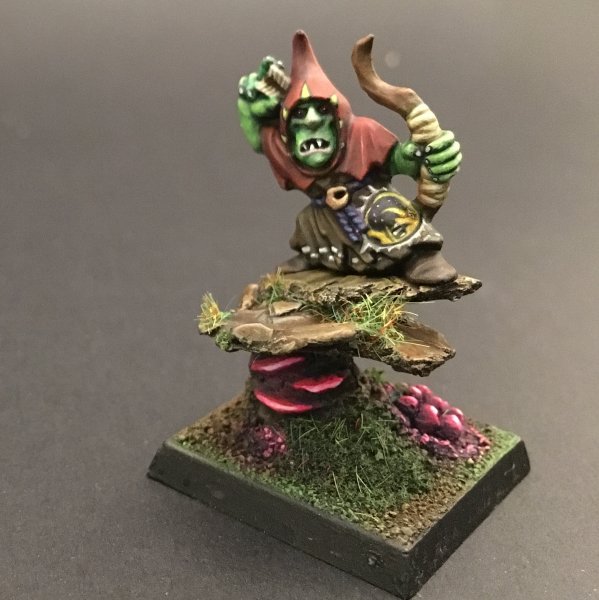
IMG_1113.JPG

I used bright colors to make the mushrooms glow
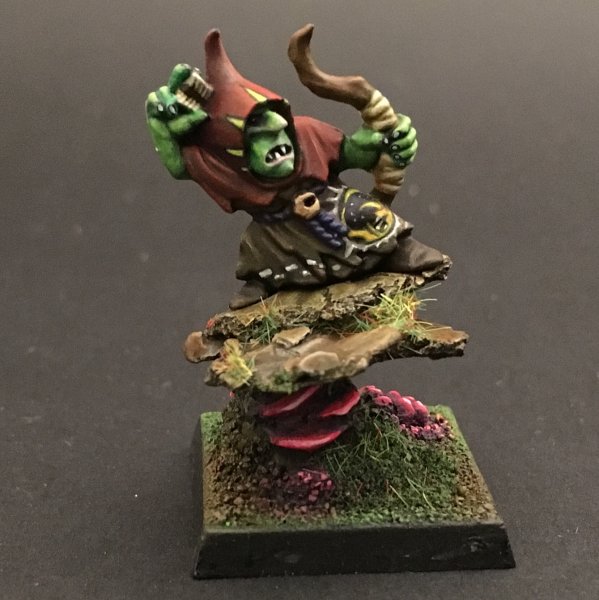
IMG_1111.JPG

To give the robe a little more character I drew a chess pattern on it.
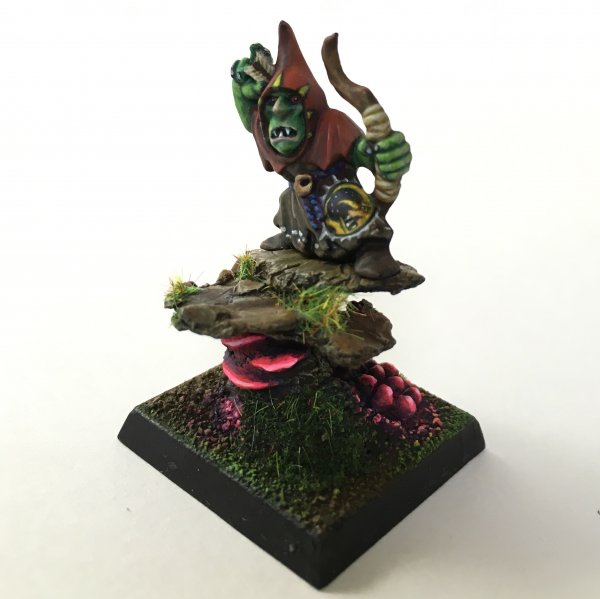
IMG_1134.JPG

I also drew some yellow triangles on the hood.
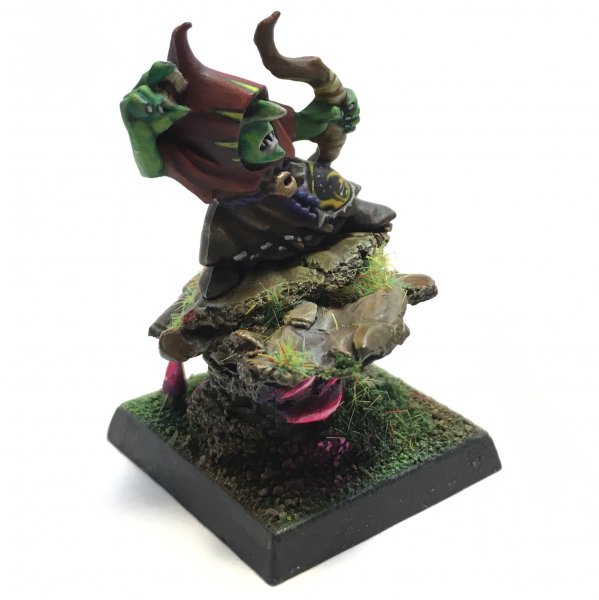
IMG_1100.JPG

This is the end result! Please comment away suggestions and feedback

IMG_1362.PNG
 
The free hand night goblin symbol looks amazing! Incredible job all around. Those mushrooms really catch your eye. So much detail. This is a gorgeous paint job!
 
Last edited:
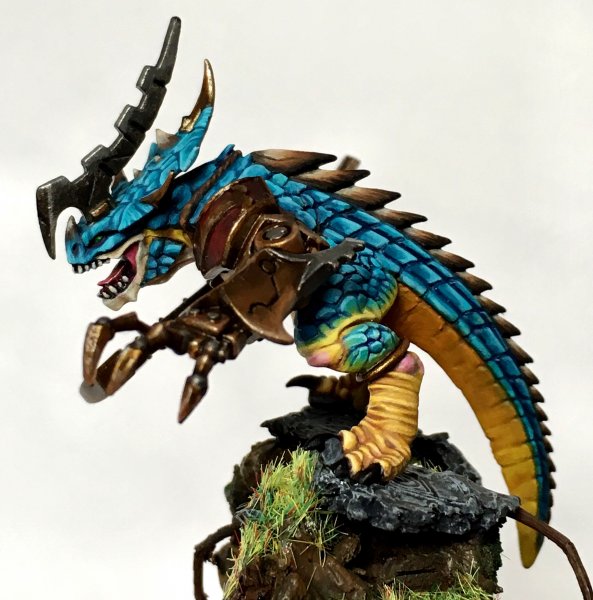
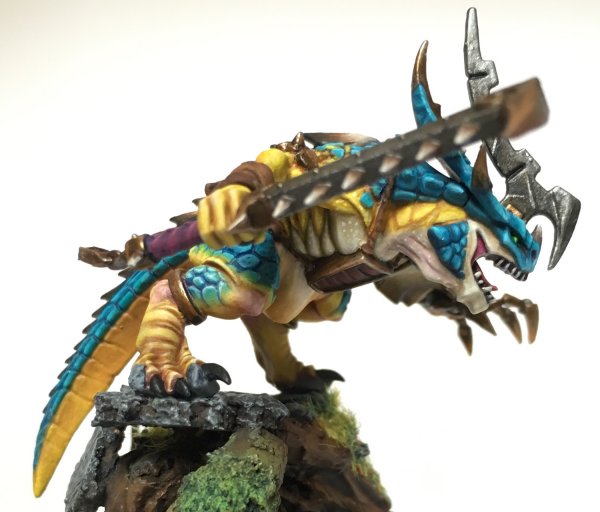
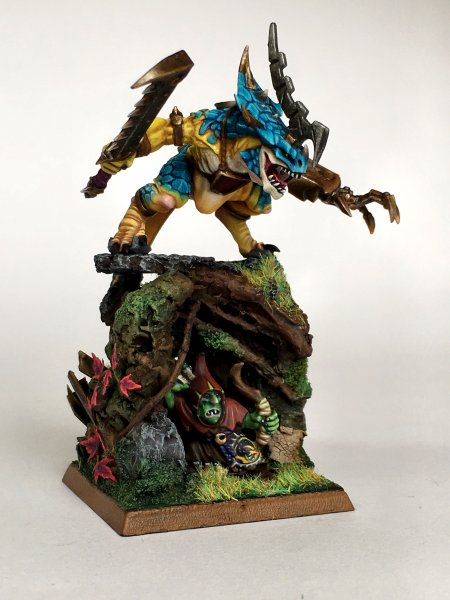
lets look at the Converted Oldblood next! I called it Starblood because of the bibrant colors:

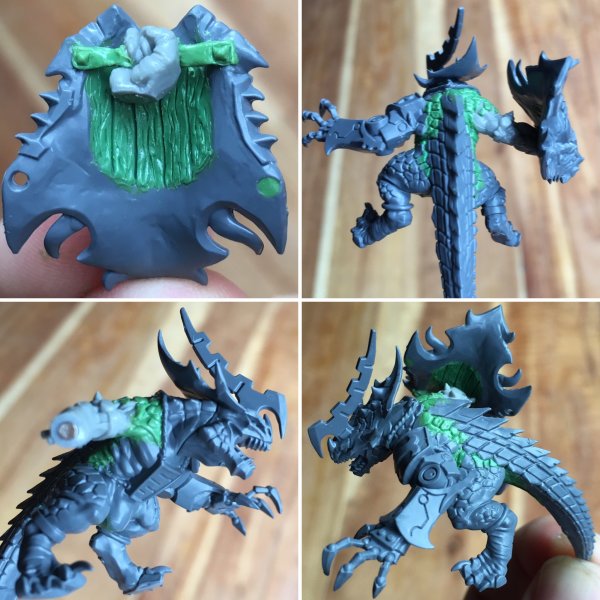
for the conversion I used the remaining tail bits from the troglodon box and a spare oldblood parts from the same kit to make the Starblood. the only piece I didn't use from this kit was an orc arm.this is great because it allows you to make two oldbloods and the troglodon out of the kit. magnetizing the hand to be able to change weapons
8AAFD338-1D9D-442E-9D4C-3E7D885C59CD.jpg

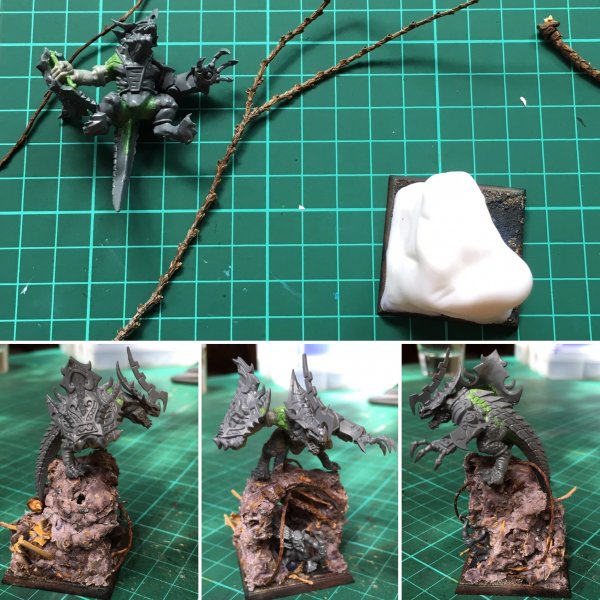
than I went on go make the cave for the goblin, using cold porcelain, rocks, sand and Branches. to give it a feeling of forgoten temple I made some broken slats using green stuff and cork
F3CF3390-3575-4FF5-9ED4-429F012EB19F.jpg

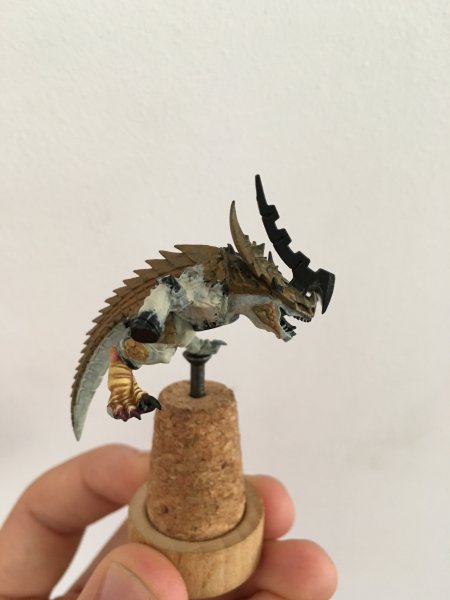
after that I basecoted the mini using light browns and flesh tones to provide the base for the bibrant colors I wanted for this mini and started trying the skin at the feet of the midel

IMG_0830.JPG

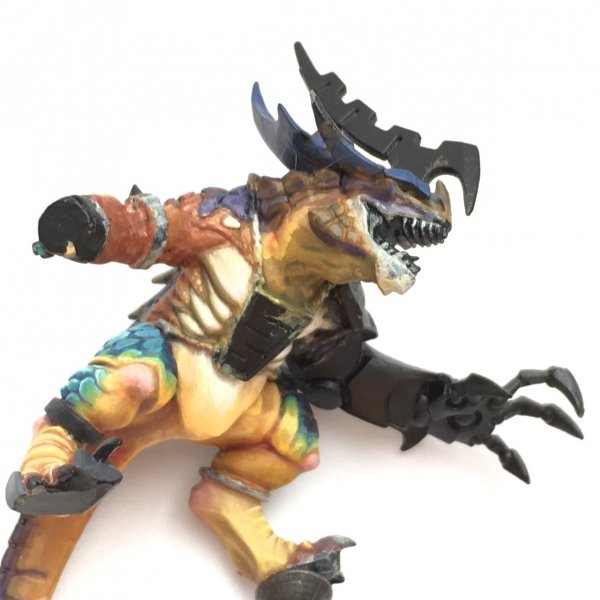
i continued doing this and tried to put as much contrast as possible in all the areas that needed. the idea was to give more depth to the paint job. I also used pink in the joints to break up the large areas of yellow

IMG_1007.JPG

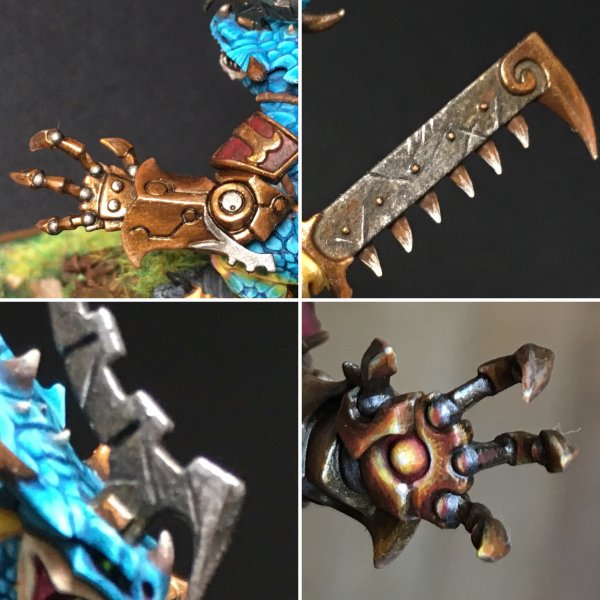
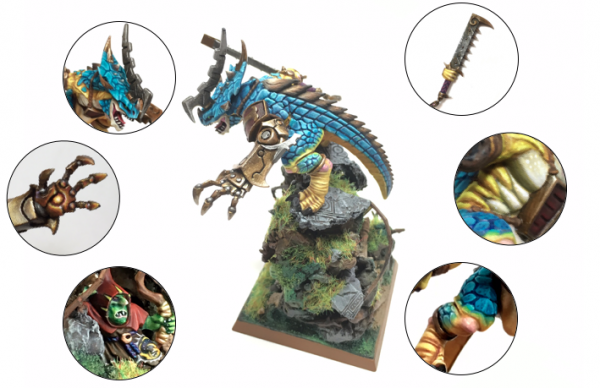
than I moved into the metal! The only trick here was using Scale Metal Colors! they are the best metalics I have tried so far, I used the coper range and just followed their sugested instruction. tjan I jus finished by adding some scratches to give it some more texture. I also did a light OSL at the guantlet to make it look ready to fire

2E0E8CFD-2E43-4350-8C36-715C24F46D0A.jpg

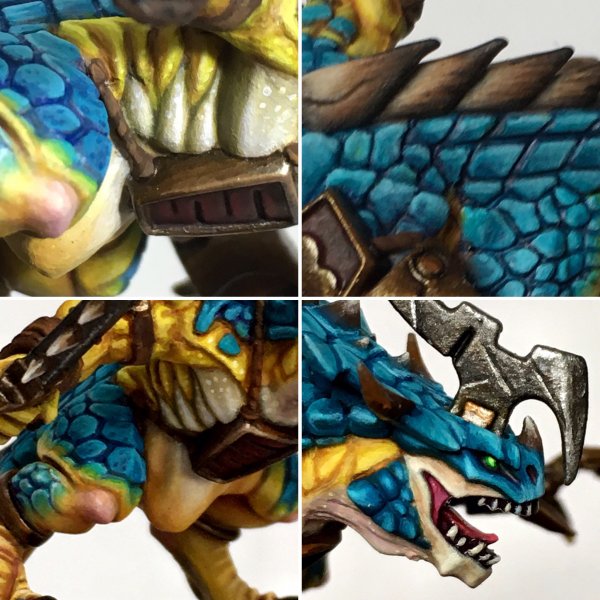
On to finishing the skin and scales! here is just a question of blending and highlighting and adding small dots for texture
7C614567-F018-4431-87E3-045AA8F28D1B.jpg

and this is how the model looks!

IMG_1660.JPG IMG_1666.JPG IMG_1533.JPG IMG_1700.PNG
 
Amazing work my friend, just out of interest how many hours did it take to paint the model, just paint not convert?
 
Thanks a lot @Crowsfoot ! very glad you liked it.

This model took me about 60-70 hours to paint, I am not a very fast painter so it usually takes me a long time to finish any model

Thanks, I just wanted to gauge where I am at painting wise, it takes me around 15hrs to paint a model so I really need to slow down and start trying to improve my blending etc but all my models are for gaming and I think that is enough effort for them to look ok on the table.

Nearly finished my Kings of War Goblins all multibased and furry, will post some pics this week.
 
hahah I wish I could paint a model in two hours! it usually takes me thst long or even more just to choose the colors I want to use :s

My goblins have taken 2hrs to paint 40, but it did take me around 4hrs to fur them up.
 
:facepalm:wow now I know I need to slow down when im painting...I tend to get impatient and speed up...:facepalm:
I love this model btws it is a true testament to your skills
 
lets look at the Converted Oldblood next! I called it Starblood because of the bibrant colors:

for the conversion I used the remaining tail bits from the troglodon box and a spare oldblood parts from the same kit to make the Starblood. the only piece I didn't use from this kit was an orc arm.this is great because it allows you to make two oldbloods and the troglodon out of the kit. magnetizing the hand to be able to change weapons
View attachment 26224

than I went on go make the cave for the goblin, using cold porcelain, rocks, sand and Branches. to give it a feeling of forgoten temple I made some broken slats using green stuff and cork
View attachment 26225

after that I basecoted the mini using light browns and flesh tones to provide the base for the bibrant colors I wanted for this mini and started trying the skin at the feet of the midel

View attachment 26226

i continued doing this and tried to put as much contrast as possible in all the areas that needed. the idea was to give more depth to the paint job. I also used pink in the joints to break up the large areas of yellow

View attachment 26227

than I moved into the metal! The only trick here was using Scale Metal Colors! they are the best metalics I have tried so far, I used the coper range and just followed their sugested instruction. tjan I jus finished by adding some scratches to give it some more texture. I also did a light OSL at the guantlet to make it look ready to fire

View attachment 26228

On to finishing the skin and scales! here is just a question of blending and highlighting and adding small dots for texture
View attachment 26229

and this is how the model looks!

View attachment 26230 View attachment 26231 View attachment 26232 View attachment 26233

To begin with let me express my admiration for your painting skills which are absolutely astonishing!
May I ask what kind of procedure you followed for the blue scales ?
Keep it up man you are a fantastic painter !
You uploading your photos and share your wisdom with us rest is a huge gift in my humble opinion. Thank you !
 
Awesome model! I really like the vibrant blue scales and the subtle yet very effective OSL. You say you used Scale Metal Colours, do you mean Scale 75? I have been curious about their paints but I'd have to specifically order them so haven't got around to it.
 
To begin with let me express my admiration for your painting skills which are absolutely astonishing!
May I ask what kind of procedure you followed for the blue scales ?
Keep it up man you are a fantastic painter !
You uploading your photos and share your wisdom with us rest is a huge gift in my humble opinion. Thank you !

Sure! after basecosting with a light brown I painted all the scales with a somewhat dark blue, and than I did two layers of progresively lighter blues, the teick here was to find the brightest blue I could find. than to finish I mixed it with white and did an edge highlight on each scale

thanks man! its my pleasure!

Awesome model! I really like the vibrant blue scales and the subtle yet very effective OSL. You say you used Scale Metal Colours, do you mean Scale 75? I have been curious about their paints but I'd have to specifically order them so haven't got around to it.

yes, scale 75
 
:wideyed:

I did not notice the tiny little stars on the goblin's knee before. Or the myriad of other details that went into the scales and tiny pieces of this model. Don't think I could have pulled that off without a microscope.

Amazing and inspiring work, thank you so much for all the WIP shots, really shows a great deal of skill and patience that you put into the hobby! :vulcan:
 
Well I found this on Pinterest and had to search if you were a member here with a username like that! Glad I found this thread, incredible conversion work! Probably going to have to try something similar myself as I eek the maximum value from my Start Collecting! box.
 
Back
Top