
-
The forum software have been upgraded to the latest version.
If you notice anything that looks off, or does not work, please let us know.
For more information, click here.
You are using an out of date browser. It may not display this or other websites correctly.
You should upgrade or use an alternative browser.
You should upgrade or use an alternative browser.
Tutorial How to sculpt lizardmen: All your base...
- Thread starter Rikard
- Start date




Chameleon Skink
Essmir
Well-Known Member
- Messages
- 180
- Likes Received
- 338
- Trophy Points
- 63
A big thumb up for the video, altho it was quite afull but I think it can be easily fixed. First fix the focus get your hands on a camera that have manual focus(it does even exists apps for it) and altho not as important make a deeper depth of field so all is clear. Getting a backdrop is also good.
A mic can be good but mostly it's practise you need sittning talking to your self feels wierd in the beginning and you can hear that.
Disclamer: all of the abowe is meant to be healpfull and i totaly endorse your progect.
A mic can be good but mostly it's practise you need sittning talking to your self feels wierd in the beginning and you can hear that.
Disclamer: all of the abowe is meant to be healpfull and i totaly endorse your progect.

Stegadon
Rikard
Well-Known Member
- Messages
- 929
- Likes Received
- 1,464
- Trophy Points
- 93
I promise more mistakes and "sod it!"sYep, the video series looks promising. Please more!
The ending was the best
Audio wasn't terrible, but a new mic and a light box would definitely help, ot only gets better from here!
Like I said, I definitely need to sort out a good mic, I may even film first and narrate later (things to try), as well as doing time capture (frame by frame)
Awesome yes looking forward to more
Thank you! It means a lot.

great first video.
Ps.
As subtle as ever I see.

A big thumb up for the video, altho it was quite afull but I think it can be easily fixed. First fix the focus get your hands on a camera that have manual focus(it does even exists apps for it) and altho not as important make a deeper depth of field so all is clear. Getting a backdrop is also good.
A mic can be good but mostly it's practise you need sittning talking to your self feels wierd in the beginning and you can hear that.
Disclamer: all of the abowe is meant to be healpfull and i totaly endorse your progect.
Not at all, it's all down to this sort of help that I would like to make this series as instructive as possible.
I have had a play around with the settings and have FINALLY found the mic volume and all the manual/auto functions (including the focus
).
Stegadon
Rikard
Well-Known Member
- Messages
- 929
- Likes Received
- 1,464
- Trophy Points
- 93
Got a second video on the way! (it's still uploading).
Just under 12 minutes, a lot learned still from this one, I hope no-one minds but I was thinking of taking a bit longer between this video and the next one as I really want to get some more time in practicing filming so you can actually see what my hands are doing (not to mention finding my go pro).
Check back soon for the video (I will edit this post when I have a link for it).
EDIT: Here it is.
Just under 12 minutes, a lot learned still from this one, I hope no-one minds but I was thinking of taking a bit longer between this video and the next one as I really want to get some more time in practicing filming so you can actually see what my hands are doing (not to mention finding my go pro).
Check back soon for the video (I will edit this post when I have a link for it).
EDIT: Here it is.
Last edited:

Slann
Bowser
Third Spawning
- Messages
- 5,655
- Likes Received
- 8,553
- Trophy Points
- 113
Informative and entertaining! I want more! But I won't be offended if you take the time off to practice filming until you have a product you're happy with. But I am definitely going to have this playing next time I am working with green stuff.
Stegadon
Rikard
Well-Known Member
- Messages
- 929
- Likes Received
- 1,464
- Trophy Points
- 93
Informative and entertaining! I want more! But I won't be offended if you take the time off to practice filming until you have a product you're happy with. But I am definitely going to have this playing next time I am working with green stuff.
Thanks Bowser!
What I REALLY want to achieve is to get something where I can have my hands in shot sculpting as I go (without having to lean in, or reach round anything AND make sure the lighting stays consistent). I think the biggest difficulty is trying to zoom in to pick up all the detail (something I find I can't really get, even with 1080HD) and have enough room for my hands to show what I'm doing in the shot.
Slann
Bowser
Third Spawning
- Messages
- 5,655
- Likes Received
- 8,553
- Trophy Points
- 113
Have you thought of using an overhead mirror like a cooking class? The camera can get closer to the mirror, and you just have to worry about keeping your hands in the mirror field of vision. Something on a stand at a 45 ° angle should work.Thanks Bowser!
What I REALLY want to achieve is to get something where I can have my hands in shot sculpting as I go (without having to lean in, or reach round anything AND make sure the lighting stays consistent). I think the biggest difficulty is trying to zoom in to pick up all the detail (something I find I can't really get, even with 1080HD) and have enough room for my hands to show what I'm doing in the shot.
Temple Guard
neveroddoreven
Well-Known Member
- Messages
- 210
- Likes Received
- 1,074
- Trophy Points
- 93
What I REALLY want to achieve is to get something where I can have my hands in shot sculpting as I go (without having to lean in, or reach round anything AND make sure the lighting stays consistent). I think the biggest difficulty is trying to zoom in to pick up all the detail (something I find I can't really get, even with 1080HD) and have enough room for my hands to show what I'm doing in the shot.
That's the same bunch of problems I was having when I tried making tutorial videos, 1080 and all.
Have you thought of using an overhead mirror like a cooking class? The camera can get closer to the mirror, and you just have to worry about keeping your hands in the mirror field of vision. Something on a stand at a 45 ° angle should work.
That's a nifty idea, I might give that a go.
Slann
Bowser
Third Spawning
- Messages
- 5,655
- Likes Received
- 8,553
- Trophy Points
- 113
Used to work in a grocery store that ran cooking classes to sell different products and they had a mirrors on legs above the countertop specifically so people could see what the instructor was doing with her hands. So I figured same principle may apply!
Stegadon
Rikard
Well-Known Member
- Messages
- 929
- Likes Received
- 1,464
- Trophy Points
- 93
I'm hoping a revival is on the way soon with this one....
So with that said, go and read this first then pop back:
I have Z-brush now and a Wacom tablet!*
*I suck big time...seriously someone help me. :C
I will hopefully get some stuff up soon, though very much aware I need to make a light box.
So with that said, go and read this first then pop back:
I have Z-brush now and a Wacom tablet!*
*I suck big time...seriously someone help me. :C
I will hopefully get some stuff up soon, though very much aware I need to make a light box.
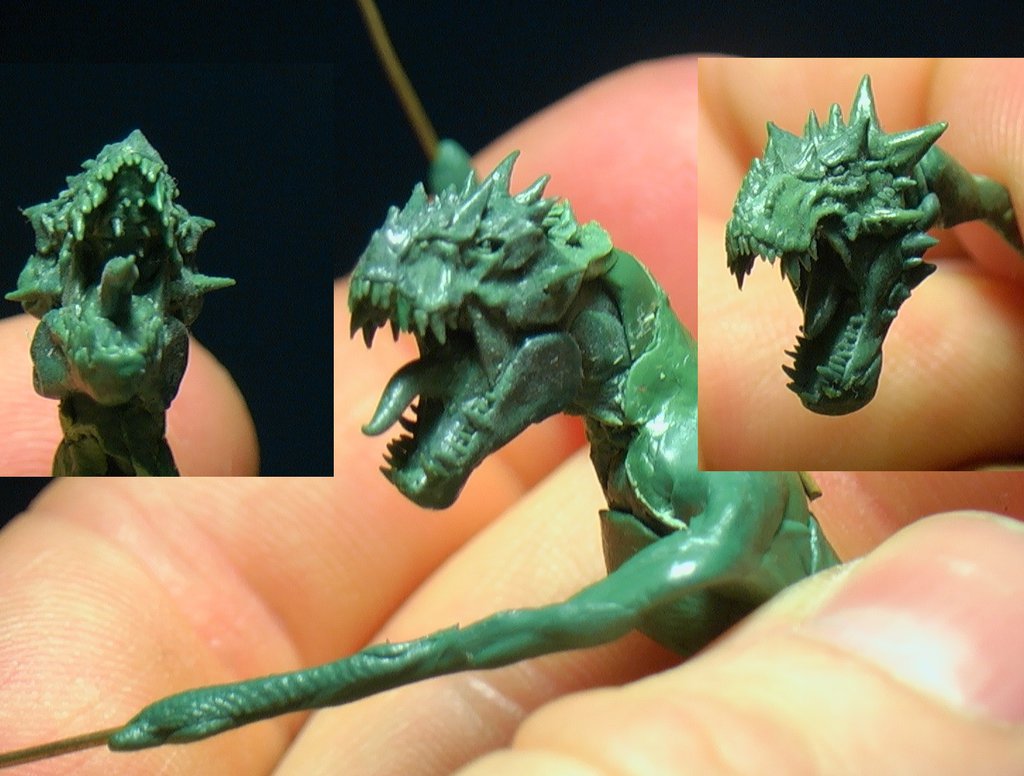

Stegadon
Rikard
Well-Known Member
- Messages
- 929
- Likes Received
- 1,464
- Trophy Points
- 93
Here we go....

Going with a copy and paste text wise from what I shoved up on Deviantart, hope no-one minds, but it's much quicker and the message I've typed is designed for everyone.
Nothing major to look at just yet, but I've been having a think and this might be a better way of doing tutorials, breaking the information down and posting/updating one stage at a time.
It should make it easier to absorb the info too and give me more freedom for getting things done rather than cramming it all into one session.
What you have here is a two for one minus the giant red label.
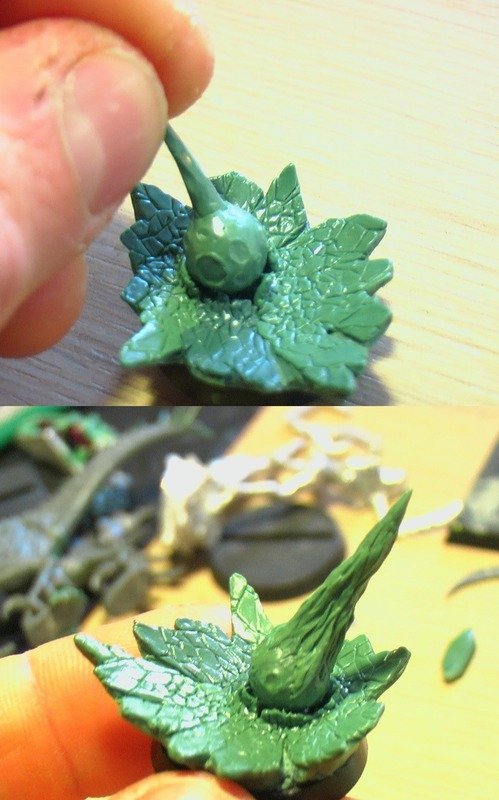
Top two photos show a base.
This is going to consist of smashed flag stones (have a look at the Comet Of Cassandra below for a similar example).
The reason it looks a little odd, is you have two points of impact happening simultaneously, which isn't going to leave any kind of uniformity to the breaks.
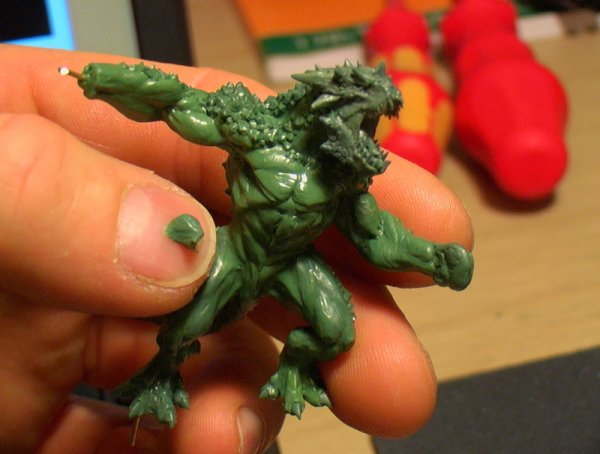
- This may or may not have something to do with the super spiky Kroxigor shot I showed recently (not the one in my Av, that's Nakai).
At the moment, not a lot to look at, you have the various blobs in the left hand shot and then (once it had completely hardened), I used a scalpel to cut away the round edges and create as many straight and smooth lines as possible, which will make it much easier for applying detail afterwards.
Bottom two photos
These are a Do-over of the shield I've been struggling with on Gor-Rok
Weapons, like shields have nice strong lines, trying to do this in green stuff is a bugger, so after much fighting with it, I'm starting over. The slate of white apoxysculpt is going to become the new one, HOWEVER, I'm going to be carving, sanding and shaping it with other similar tools to create the same desired look, but without the hassle (well that's the plan at any rate...).
Going with a copy and paste text wise from what I shoved up on Deviantart, hope no-one minds, but it's much quicker and the message I've typed is designed for everyone.
Nothing major to look at just yet, but I've been having a think and this might be a better way of doing tutorials, breaking the information down and posting/updating one stage at a time.
It should make it easier to absorb the info too and give me more freedom for getting things done rather than cramming it all into one session.
What you have here is a two for one minus the giant red label.
Top two photos show a base.
This is going to consist of smashed flag stones (have a look at the Comet Of Cassandra below for a similar example).
The reason it looks a little odd, is you have two points of impact happening simultaneously, which isn't going to leave any kind of uniformity to the breaks.
- This may or may not have something to do with the super spiky Kroxigor shot I showed recently (not the one in my Av, that's Nakai).
At the moment, not a lot to look at, you have the various blobs in the left hand shot and then (once it had completely hardened), I used a scalpel to cut away the round edges and create as many straight and smooth lines as possible, which will make it much easier for applying detail afterwards.
Bottom two photos
These are a Do-over of the shield I've been struggling with on Gor-Rok
Weapons, like shields have nice strong lines, trying to do this in green stuff is a bugger, so after much fighting with it, I'm starting over. The slate of white apoxysculpt is going to become the new one, HOWEVER, I'm going to be carving, sanding and shaping it with other similar tools to create the same desired look, but without the hassle (well that's the plan at any rate...).

Slann
Aginor
Fifth Spawning
- Messages
- 12,256
- Likes Received
- 20,177
- Trophy Points
- 113
Ok you have to detail that stone a bit for me, because the top left one is how my stuff looks whenever I sculpt something, and the top right is what I'd like some stuff to look like. How do you create the sharp edges and the broken surfaces? Just by cutting with a knife? When it is still soft or when it is cured?
Stegadon
Rikard
Well-Known Member
- Messages
- 929
- Likes Received
- 1,464
- Trophy Points
- 93
Ok you have to detail that stone a bit for me, because the top left one is how my stuff looks whenever I sculpt something, and the top right is what I'd like some stuff to look like. How do you create the sharp edges and the broken surfaces? Just by cutting with a knife? When it is still soft or when it is cured?
I thought I was clear when I said...
At the moment, not a lot to look at, you have the various blobs in the left hand shot and then (once it had completely hardened), I used a scalpel to cut away the round edges and create as many straight and smooth lines as possible, which will make it much easier for applying detail afterwards.
If the confusion is more to do with it being simple, then yes, it is as simple as I've explained it:
Make blobs.
Let them dry.
Cut straight lines and sections out of it.
Try to cut a blob of pliable putty, you won't have any straight lines or smooth surfaces.